+1 (571) 354 8500Free Audit

Your own app on every homeowner's phone

Project progress, production, documents, referrals and support in one app with your name on it.

  • Fewer status calls: homeowners check the app instead of calling your office

  • Your logo, colors and domain, from the signed contract to the last year of the system

  • Your own app in the App Store and on Google Play, published for you

Tony LostraccoJoe BennettConor DarbyJohn GaffiganLloyd LeeMichael GibsonKeith GibsonMark DicksonFortunat Mueller

Sunvoy is rated 5/5 stars by hundreds of solar installers like you
The Aurelia Solar app with a referral banner and the project progress
The same app with the Evergreen Power name and logo
The same app with the Bluepeak Energy name and logo
Aurelia SolarEvergreen PowerBluepeak Energy
Fewer calls

The questions homeowners call about, answered in your app

Homeowners ask the same questions during the project and again after Permission to operate. When the answers live in your app, they check it first instead of calling the office or texting the salesperson.

  1. Missed callWhere is my project right now?
    HomeThe current phase and the next step, updated from your CRM
  2. Missed callIs my system producing?
    EnergyToday's production and consumption, history and savings
  3. Missed callCan you send me my invoice for my taxes?
    DocumentsInvoices, permits, contracts and warranties, ready to download
  4. Missed callMy inverter lost its Wi-Fi. What now?
    FAQReconnection steps for the inverter brand on their roof
  5. Missed callSomething is wrong. Who do I call?
    SupportA ticket with photos that goes to the right team
Watch: why your solar company needs a customer portal
Project progress

A pizza tracker for every install

From the signed contract to Permission to operate, homeowners see where their project stands and what comes next. It updates from your CRM on its own, so your project managers stop typing status updates.

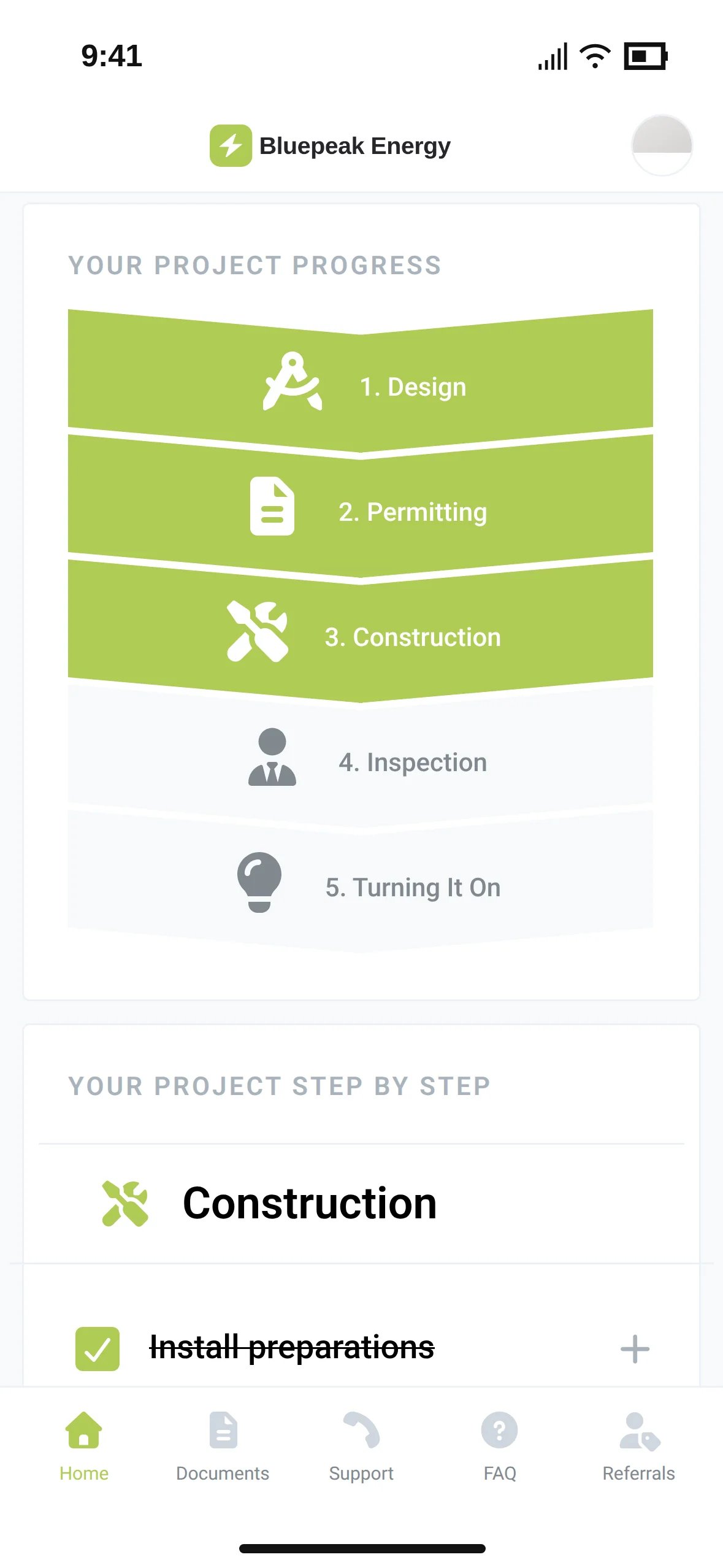
The Bluepeak Energy app with the phases Design, Permitting and Construction done and the step Install preparations checked
Production

Production data under your logo

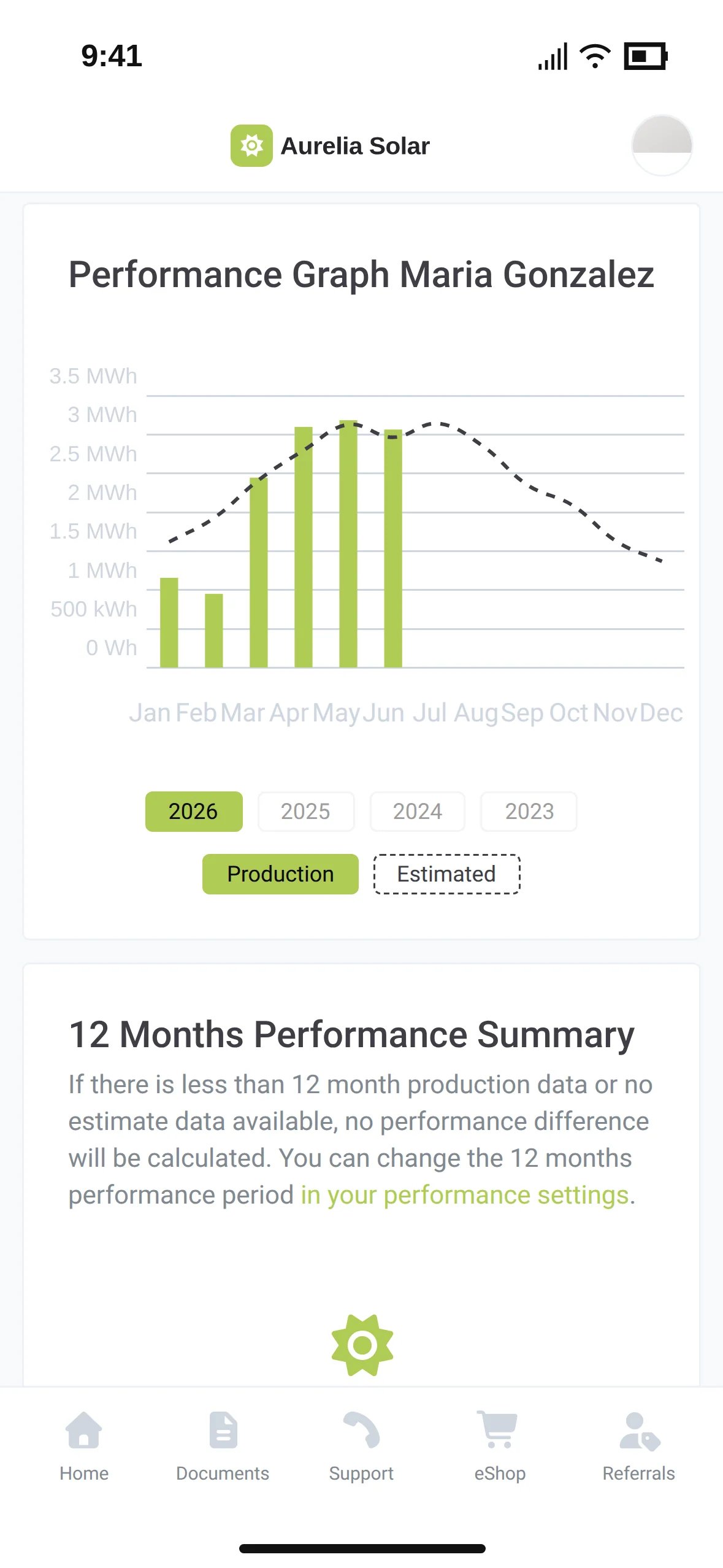
Homeowners check their system after a utility bill, during a storm or when a new appliance arrives. They see production, savings and how the system does against your estimate, all in your app.

The Aurelia Solar performance graph with monthly production bars against a dashed estimate line
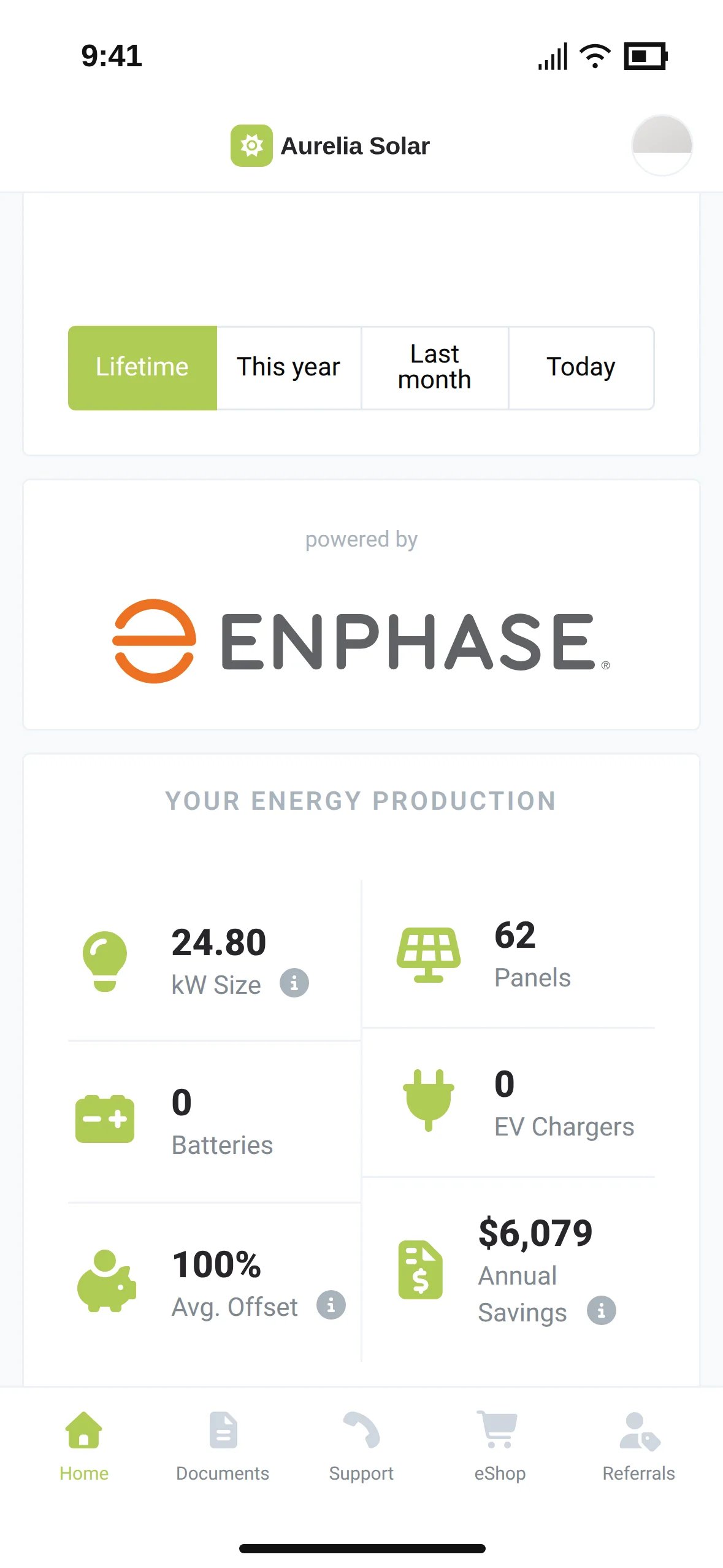
The Aurelia Solar energy production tile with system size, panels, offset and annual savings
Documents and support

Documents, answers and tickets in one place

Tax season, a Wi-Fi reset or a broken panel: homeowners find the document, the answer or the right person in your app instead of your inbox.

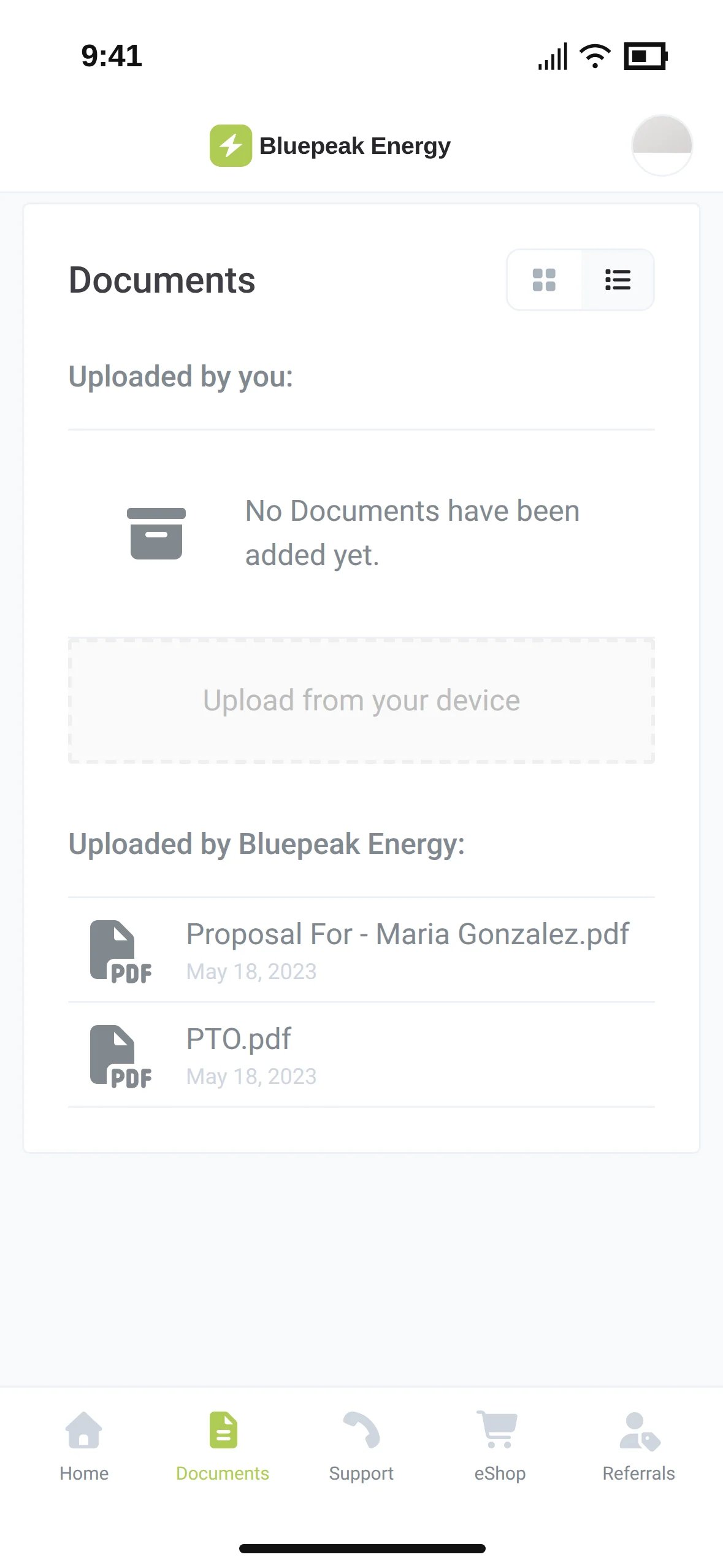
The Bluepeak Energy documents list with a proposal and a PTO document

Documents

Contracts, permits, invoices and warranties you share, plus the files homeowners upload. Signature requests show up here too.

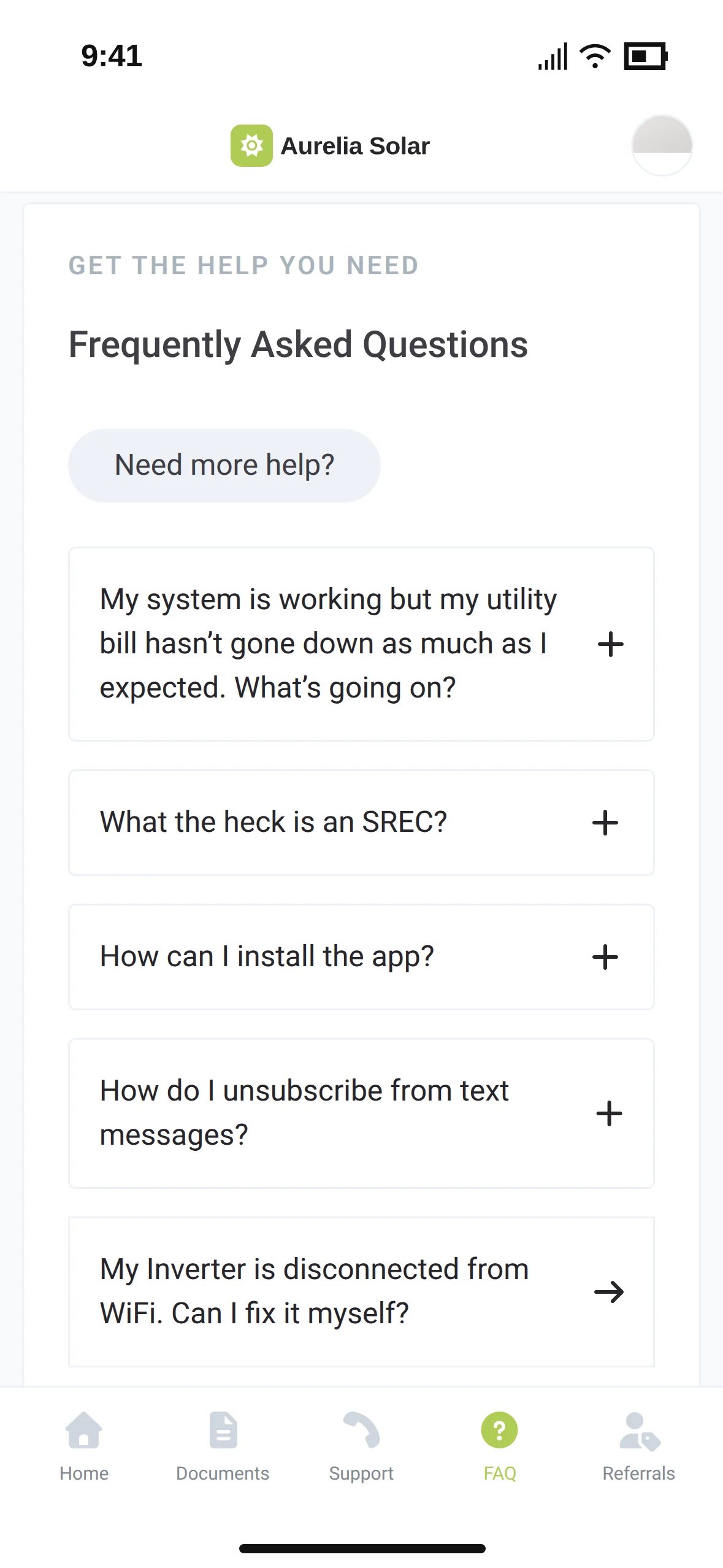
The Aurelia Solar FAQ with questions about the utility bill, SRECs, the app and an inverter without Wi-Fi

FAQ

Your answers to the questions homeowners ask most, including reconnection steps for their inverter brand.

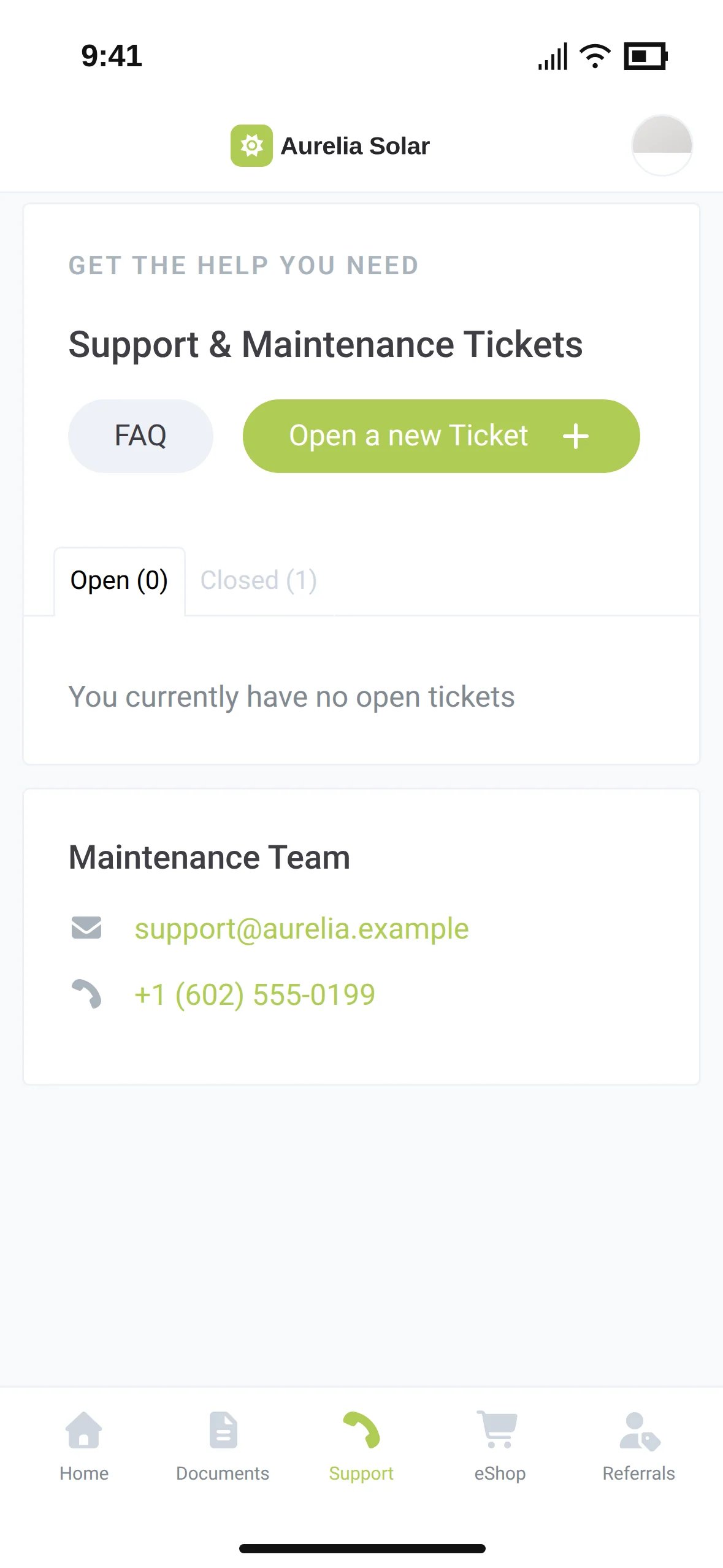
The Aurelia Solar support page with the button Open a new Ticket and the maintenance team's contact details

Support tickets

Homeowners open a ticket with photos and follow it until it is closed. Your team works it from one inbox.

Referrals and upgrades

Turn app visits into referrals and upgrades

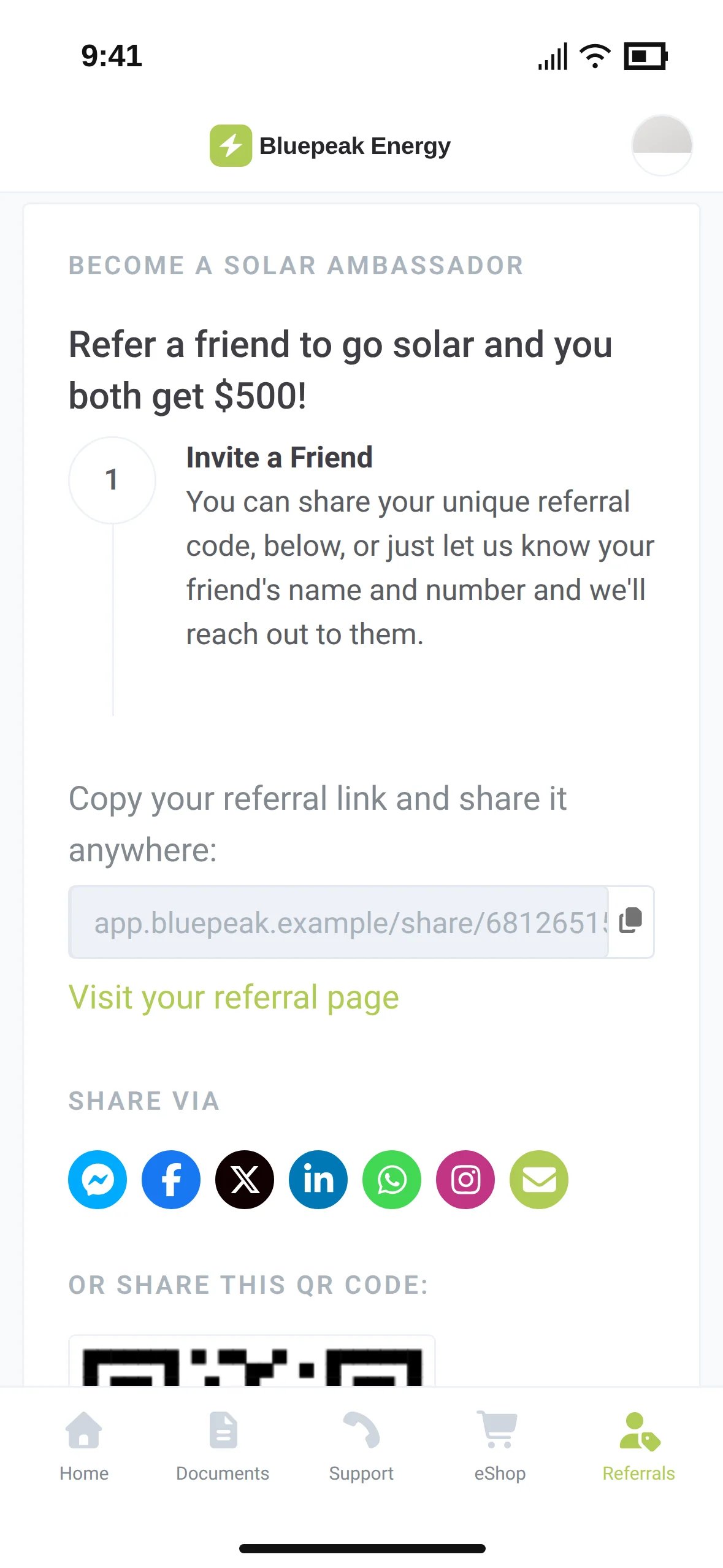
Every visit to your app is a reminder of your name. A personal referral link, review requests and your eShop sit right next to the production numbers they come to check.

The Bluepeak Energy referral page with a personal share link and share buttons
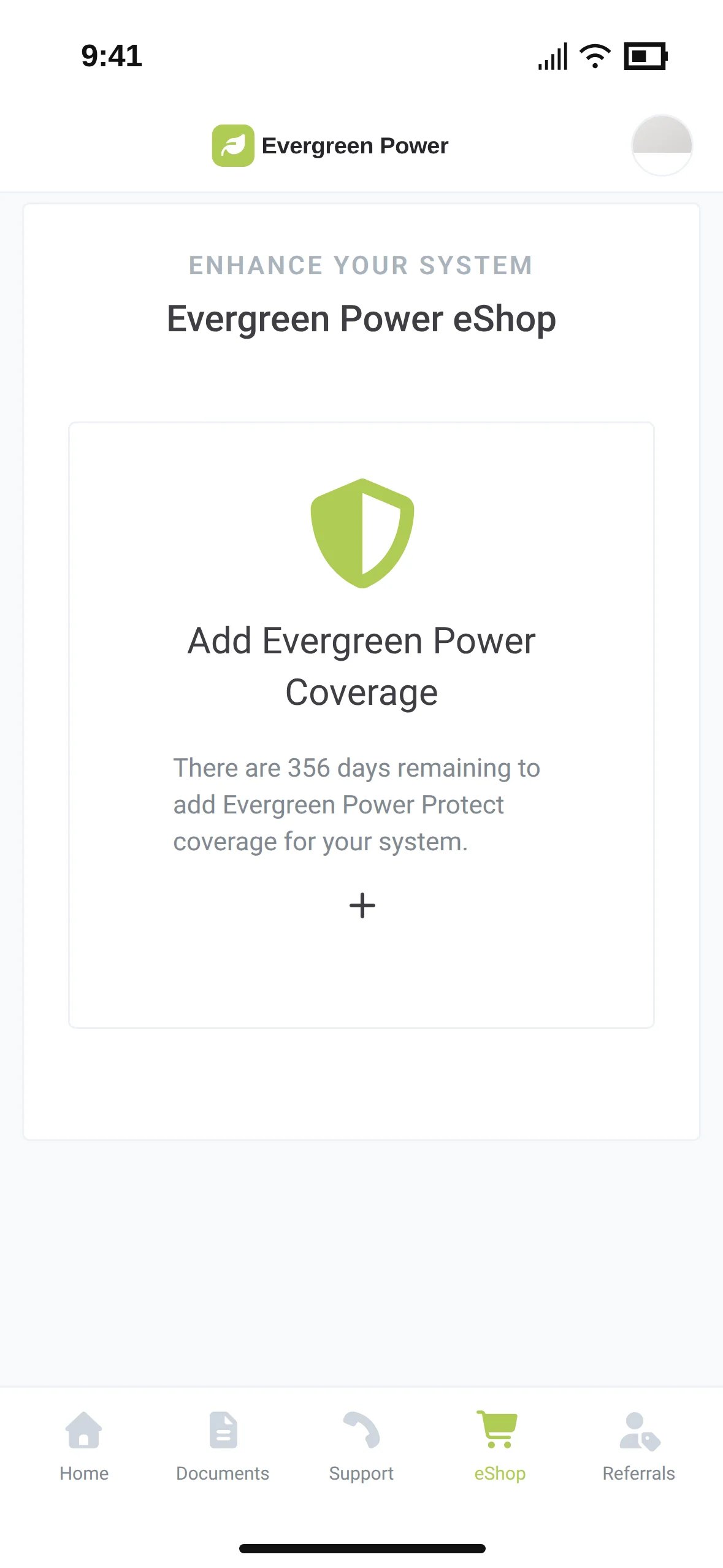
The Evergreen Power eShop offering protection coverage for the system
Results

What installers see after they launch their app

3.2x

more referrals per customer

Sunvoy cut our cost of acquisition in half by making our customers our biggest advocates and actively requesting reviews and referrals at every step of their customer journey.

Mo AbdallaCEO & Founder, Good Faith Energy

$2.4M

additional revenue from referrals

I didn't expect Sunvoy to make such a big impact on our branding, and branding to make such a big difference on the amount of reviews and referrals we get

Micah Gold-MarkelCEO & Founder, Solar States

30 days

to launch a customer portal for 1000+ monthly installations

After over a year and many failed internal attempts we were sceptical that Sunvoy could create a proof of concept in less than 30 days. But the numbers speak for themselves: We were ready to launch, including customizations by the promised date.

Sean McPhersonVP Product, PosiGen
100% your brand

Your name everywhere the homeowner looks

Your logo, your colors and your own domain. Homeowners see your company everywhere: in the browser, in their inbox, on their home screen and in the app stores. Sunvoy never appears.

app.evergreenpower.example

Your domain

The portal runs on your own subdomain, with the SSL certificate handled for you.

Evergreen PowerFrom [email protected]
Your September energy report

Your emails

Welcome emails and monthly reports come from your company address.

Evergreen PowerUtilitiesGet

Your app store listing

Your app, your icon and your company name in the App Store and on Google Play.

Evergreen PowernowYour project moved to Inspection. The inspector visits on Tuesday.

Your push notifications

Project updates and broadcasts arrive as notifications from your app.

Evergreen PowerLog in with BiometricSend log in link via email

Your login

Homeowners log in with Face ID or fingerprint in the native app. Employees can use single sign-on.

Where it is going

Next in your homeowner app

We ship new features to the customer portal all the time. These are the next ones on the way to your homeowners.

Battery details and controls

Waitlist

Homeowners see their battery in your app and choose how it runs: self-consumption, savings or full backup, with a backup reserve and storm alerts.

Battery Profile
Self-ConsumptionUse your solar first. Maximize independence.
SavingsStore energy smart. Lower your bills.
Full BackupKeep your battery ready. Stay powered in outages.
Reserve30%
Storm GuardEnabled

Every homeowner in their own language

Waitlist

Each homeowner and employee picks a language in their profile. The app, emails, texts and reports follow, and the text you wrote is translated for you.

Profile
LanguageEspañolEnglishEspañolDeutschFrançais
Your project progress1. Diseño2. Permisos3. Construcción
  • Waitlist

    Invoices and balances

    Open invoices, payment history and a pay button in the portal.

  • Waitlist

    Milestones after PTO

    Messages for a system's first birthday or its first megawatt hour bring homeowners back into the app.

  • Waitlist

    Welcome package on autopilot

    Spec sheets, Wi-Fi guides and warranty files land in Documents automatically, based on the job.

  • Missing something?

    Tell us what your homeowners ask for. The portal grows with the installers who use it.

    See if you qualify

Frequently Asked Questions

Get answers to the most common questions and objections about Sunvoy's platform and capabilities.

No. The portal runs in any browser on phones, tablets and computers, and homeowners can add it to their home screen. Your iOS and Android apps offer the same features.

Explore more

Where the customer portal fits in

Put your brand on every homeowner's phone

See the customer portal from your homeowners' side: progress, production, documents, referrals and support, with your name on it.