+1 (571) 354 8500Free Audit

Your contracts & change orders, signed inside your app

Have homeowners sign pre-filled templates in your own branded app with the signed PDF filing itself in the documents tab.

  • Send manually or automatically based on project milestones

  • Pre-filled with customer, project and system data

  • Certificate-signed PDFs and a security audit log for every request

Tony LostraccoJoe BennettConor DarbyJohn GaffiganLloyd LeeMichael GibsonKeith GibsonMark DicksonFortunat Mueller

Sunvoy is rated 5/5 stars by hundreds of solar installers like you
Aurelia Solar
Installation AgreementSigned
CustomerMaria Gonzalez
System size8.4 kW
Signature
Date09/12/2026 8:03 pm
Download signed file

The paperwork loop

One contract, three tools, seven hand-offs

With a separate e-sign tool, one installation agreement travels from the CRM to the e-sign tool, through the inbox and back again. Every hop is another chance to mistype an address or lose the signed copy.

With a separate e-sign tool
  1. 1Pull the project dataCRM
  2. 2Open the e-sign toolE-sign tool
  3. 3Type the customer detailsE-sign tool
  4. 4Format the templateE-sign tool
  5. 5Send it to the customerE-sign tool
  6. 6Chase the signatureInbox
  7. 7Download it and file itCRM
With Sunvoy eSignatures
  1. The project reaches a milestoneOr someone on your team clicks Request e-Signature.
  2. The customer signs in your appCustomer and project details are already filled in.
  3. The signed PDF files itselfIt lands in the project's documents together with its audit log.
That's 2 hours of admin work for something your system already knows.
Hervé BillietHervé BillietBoard member of Sunvoy, former co-founder and CEO of a residential solar installer, on LinkedIn
What you can send

Every document a solar project needs signed

Any PDF works. These are the documents installers send most.

  • Installation agreements
  • Change orders
  • Interconnection forms
  • Design approvals
  • Certificates of completion
  • SREC authorizations
  • O&M contracts
  • Forms that need no signature
Envelopes

Set up each document once

An envelope holds your PDFs and says who signs what. Upload the PDF, edit placeholders, and choose for each step whether the customer or someone on your team signs it.

app.example.com/esign/envelope
« Go back to Envelope
Installation Agreement v2ActiveUpdated at Sep 14, 2026 10:42 amNew Document
Installation agreement
installation-agreement.pdfRenameReplace File
Step 1 • Customer
To be signed by:Customer
Installation Agreement
Customer{user.first_name} {user.last_name}
Site address{project.address}
System size{project.size}
Panels{project.panels}
Sales manager{project.sales_manager.full_name}
I have read and accept the terms of this agreement.
SignatureSignatureDateStamped once signed
Step 2 • Employee

Upload any PDF

Add one or more PDFs to an envelope.

Edit Placeholders

Signatures, text, checkboxes, dates and more. Make each field required or optional, and editable or read-only.

Autocomplete from the project

Placeholders pull the customer, the address, the system size and more from your CRM, your inverters and Sunvoy.

Change it safely

Create new versions and keep track of changes. Make a new version, test it, then activate it.

Send manually

Send anything directly from the app

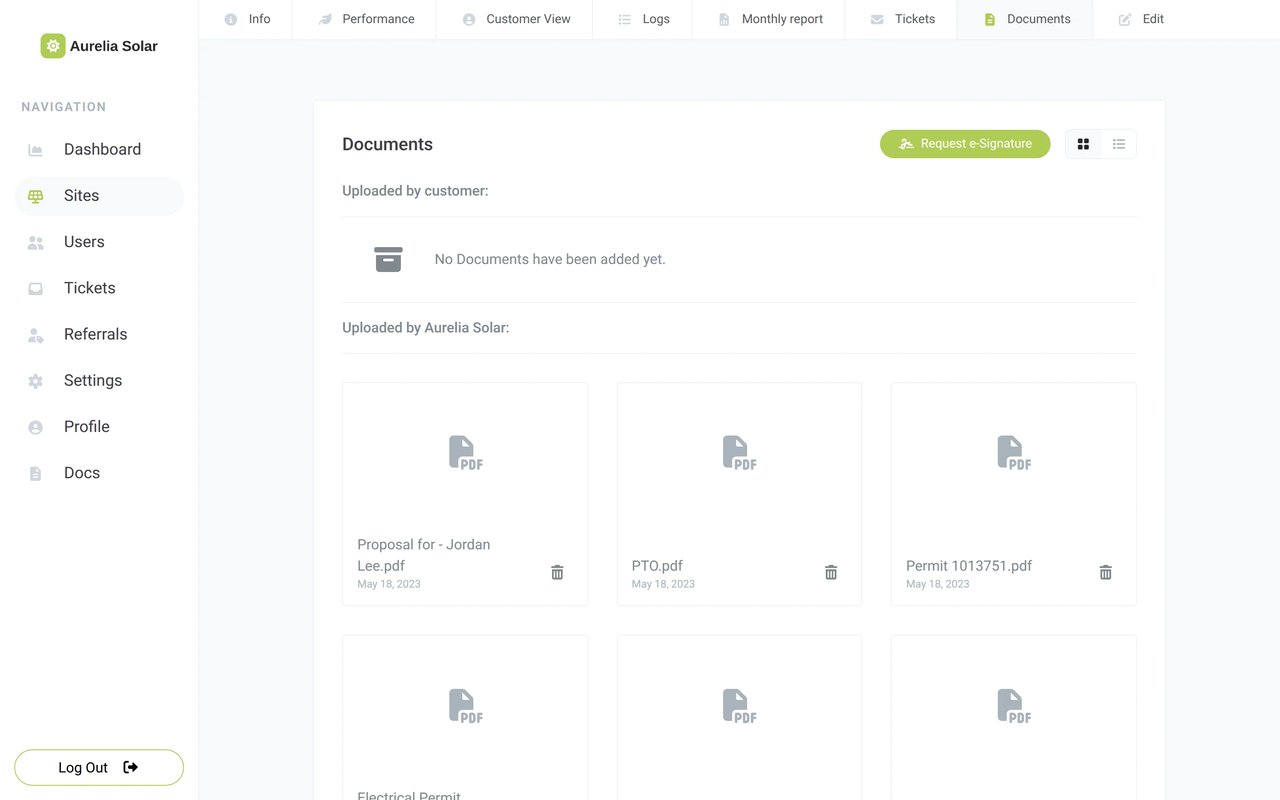
Open the project's Documents tab and click Request e-Signature. Pick the envelope, confirm, and the customer gets a link to sign. Always under your own brand.

app.example.com/site/documents
The Request Signature window in Sunvoy with an envelope selected for one project

Many projects at once

Select projects on the Sites screen and request their signatures with one bulk action.

One-off documents

Turn on Attach Custom Documents for a change order that fits one customer, place the fields and click Finalize and Send.

Your signature too

Add an Employee step and choose the Authorized Signers who sign for your company or have it sign automatically.

Track

Keep track of every request in one list

See at a glance which contracts are signed, which are still waiting on the homeowner and which you're still editing. Find any request in seconds, then resend the email or cancel it with one click.

app.example.com/settings/esign/envelopes
The Envelopes list in Sunvoy with the Signed, Signing and Editing counts of an active envelope
EnvelopesSignature Requests
Any StatusAny EnvelopeSearch documents...
Displaying 4 signature requests
NameStatusEnvelope
Maria GonzalezCompletedInstallation Agreement
Jordan LeeSigningInterconnection Agreement
Priya ShahEditingChange Order
Sam PatelSigningInstallation Agreement
Automations

Automate your e-Signature process

Contracts go out on their own the moment a project is ready for them, so nobody has to remember to send one. Your team only hears back once everyone has signed.

Send on a milestone
Construction Step changed toPermit approved
Request e-SignatureInterconnection Agreement
Send an emailto the signing customer
See what automations can do

Any step of your project

Inspection scheduled, permit approved or install complete: the request goes out when the project gets there.

Email or text

Customers get their link by email, and by text message when your automation sends one.

Tell the team

Notify the project manager or the sales manager when the last signature is in.

For your customers

Your customers sign in your app

The link opens your customer app, with your name and your colours. Customers see every pending request under Documents and sign on the phone or on the computer.

Aurelia Solar
Document 1 of 2:Installation AgreementRequired fields filled: 3/4
Installation Agreement
CustomerMaria Gonzalez
Site address1420 Sunset Ave, Phoenix
System size8.4 kW
Panels21
I have read and accept the terms of this agreement.
Signature
DateStamped once signed
Save DraftSign Document
  1. 01

    Under your brand

    No outside tool: the signing screen is part of the same app your customers already use for checking on their construction progress.

  2. 02

    Save a draft

    Customers fill in the required fields, can save a draft and come back to sign later.

  3. 03

    Their copy stays there

    Once everyone has signed, the final PDF waits in their Documents alongside other important docs like invoices or manuals ready to download.

Proof

Signed, sealed and on file

When the last party signs, Sunvoy builds the final PDF with every field and signature, signs it with a digital certificate and files it in the project. The security audit log shows who did what, and when.

Installation Agreement.pdf
Maria GonzalezAlex Rivera
Digitally signed
Signed by
Sunvoy
Reason
Signature request #48213
Location
Sunvoy
Security Audit Log
  1. 09/12/2026 7:58 pm: User Maria Gonzalez viewed signature request for first timeIP address: 203.0.113.24, browser: Mozilla/5.0 (iPhone; CPU iPhone OS 18_6 like Mac OS X)
  2. 09/12/2026 8:03 pm: User Maria Gonzalez signed document "Installation Agreement"IP address: 203.0.113.24, browser: Mozilla/5.0 (iPhone; CPU iPhone OS 18_6 like Mac OS X)
  3. 09/13/2026 9:12 am: User Alex Rivera signed document "Installation Agreement"IP address: 198.51.100.7, browser: Mozilla/5.0 (Macintosh; Intel Mac OS X 10_15_7)
  4. 09/13/2026 6:41 pm: User Maria Gonzalez downloaded final version of document "Installation Agreement"IP address: 203.0.113.24, browser: Mozilla/5.0 (iPhone; CPU iPhone OS 18_6 like Mac OS X)

Every view, signature and download

Each event carries the time, the IP address and the browser.

A certificate on the final PDF

The signed PDF carries a digital signature, so a later change to the file shows up.

Filed on both sides

Your team finds it in the project's Documents tab, and the customer in their Documents.

What comes next

What comes next for signing in Sunvoy

Tell us which capability your team needs first.

Contracts from your proposals

Waitlist

Turn an accepted proposal into a pre-filled contract and send it for signature in the same flow.

ProposalAccepted
  • 8.4 kW system
  • 21 panels
  • 13.5 kWh battery
Installation Agreement
Filled from the proposalRequest e-Signature
See Proposals

Draw, type or upload

Waitlist

Customers choose how they sign: draw with a finger, type their name or upload an image of their signature.

DrawTypeUpload
Maria GonzalezApply signature

Frequently Asked Questions

Get answers to the most common questions and objections about Sunvoy's platform and capabilities.

Any PDF. Installers use it for installation agreements, change orders, interconnection forms, design approvals, certificates of completion and forms that need no signature at all.

Explore more

Where signing fits in

Send your next contract from the project

See an envelope go from your project to a customer's phone and come back as a signed PDF in the project's documents.