+1 (571) 354 8500Free Audit

Turn happy homeowners into 5-star reviews

Ask each customer how you did at the right moment, ask the happy ones for reviews and alert your team when there is a problem.

  • Ask at the right moment: when the project is finished, after a service fix or when a system beats its estimate

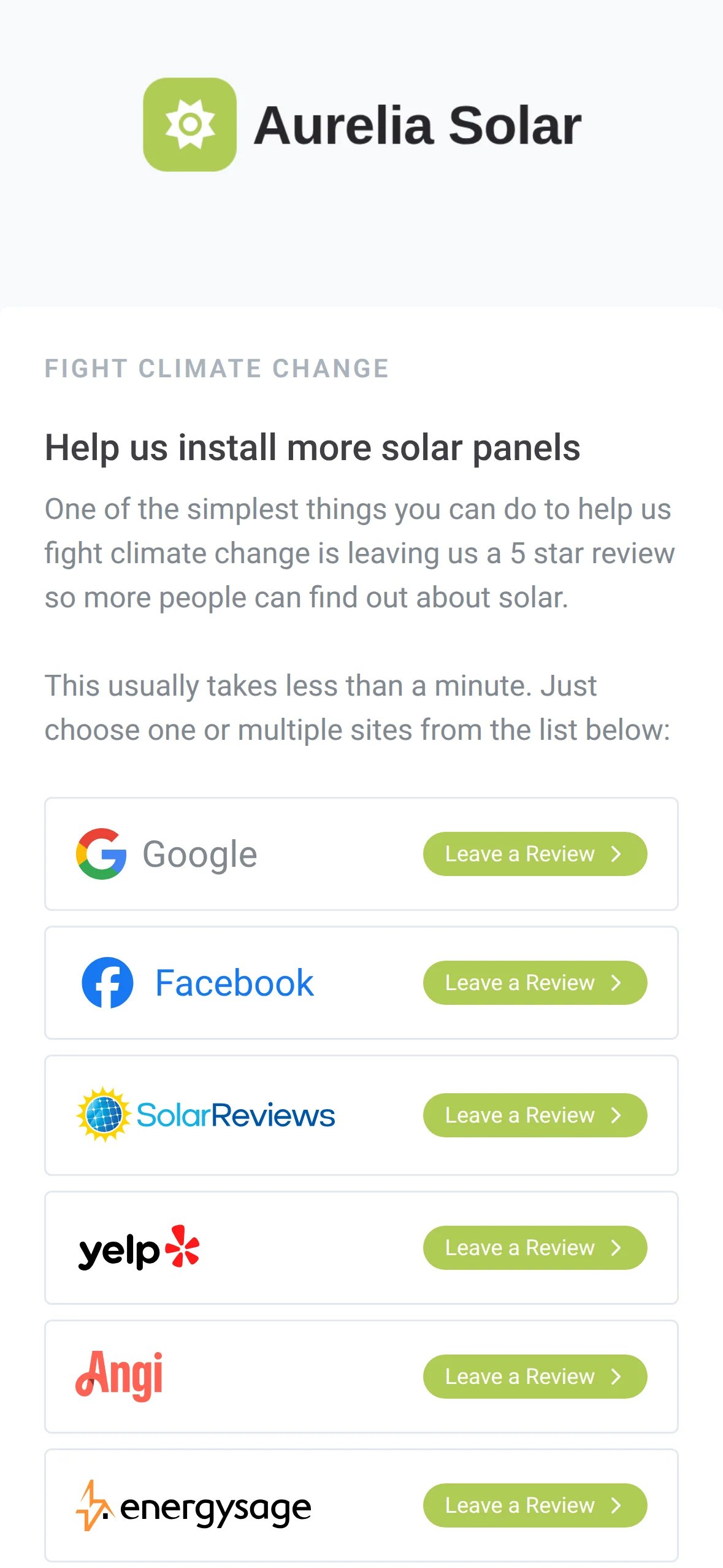
  • One branded review page with Google, Facebook, Yelp, SolarReviews and more

  • Unhappy customers reach your team first, with their history and reason

Tony LostraccoJoe BennettConor DarbyJohn GaffiganLloyd LeeMichael GibsonKeith GibsonMark DicksonFortunat Mueller

Sunvoy is rated 5/5 stars by hundreds of solar installers like you

The installer's branded review page on a phone, with Leave a Review buttons for Google, Facebook, SolarReviews, Yelp and Angi
Maria rated you 😃Opens your review page
How it works

One question, three useful answers

Ask customers via your app or by email. Homeowners tap one of five faces. What happens next depends on the score, and Sunvoy sets it up for you as ready-made automations that you can turn on.

In the app
How would you rate Aurelia Solar?
Tell us more (optional)What's the reason for your score?

The survey opens the next time the customer visits their app.

By email
How would you rate Aurelia Solar?

One tap on a face records the score. No login needed.

  1. 5Excellent

    Ask for the review, then the referral

    • Your team gets the positive news
    • The customer gets asked for a review
    • Two days later, you follow up automatically via text for a referral
    Share a referralIn the app, the next step is a referral
  2. 4Very good

    Send them to your review page

    • The app thanks them: “Thank you! Can you help us spread the word?”
    • One button opens your review page with every review site you use
    Write a reviewOpens your branded review page
  3. 1–3Average to terrible

    Solve problems first

    • The app answers: “Let's make things right for you!”
    • One click escalation to your support team
    • Your team is automatically notified with the right context
    Get in touch nowOpens an email to your support address
Right moment

Ask when your customer is happy

The ready-made review automation starts when a project reaches important milestones. It sends the survey, reminds the customer in useful intervals and stops as soon as they give a rating. You can customize the triggers, the delays and the words to your liking.

« Go back to AutomationsNPS survey on last project milestoneActiveStepsGoal
Construction Step changed to Finished
Start NPS Survey
Send an emailNPS Survey Reminder
Delay for a set period of 7 days
Send an emailNPS Survey Reminder Two
Delay for a set period of 1 month
Send an emailNPS Survey Reminder Three
Goal: Homeowner has submitted an NPS Survey responseReminders stop when they answer
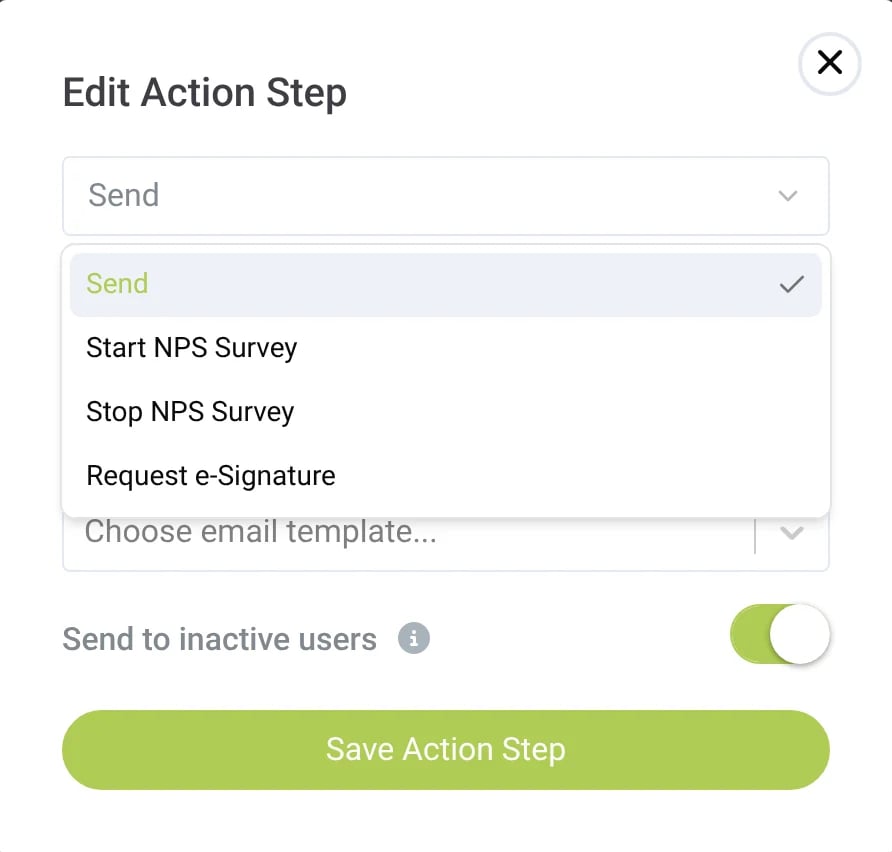
The Edit Action Step dialog of the automation builder with the actions Send, Start NPS Survey, Stop NPS Survey and Request e-Signature
Start NPS Survey in the automation builder

When the project is finished

The default trigger is your last project milestone, usually the day the system goes live.

After a service fix

When a ticket is closed, send the customer a thank-you with your review link, so a solved problem turns into a review ask.

When a system beats its estimate

Ask the customers whose systems produce more than promised for a positive review and paying it forward.

During regular app visits

Customers who have not rated you yet see the survey in their app after they have used it regularly.

Review page

One page for every review site that matters

Your review page carries your logo, your colors and your words. Customers pick the site they already use and tap straight through to it: Google, Facebook, Yelp, SolarReviews, Angi, EnergySage, BBB, BestCompany, GuildQuality or Trustpilot. But you can also add your own.

Route to the right office

If you have multiple locations you can route ratings to the correct one.

In the app

The Referrals tab of your customer app asks for reviews whenever you choose.

In every monthly report

The monthly solar energy report email always ends with a Leave a Review call to action.

In any message

Add the review link as a placeholder to any emails, text, broadcasts or push notifications.

Every score

Every score and every reason, in one place

See each answer, the customer who gave it, their rating, where it came from, the date and any additional notes in a quick glance. Click a name to see their rating history or send the survey again.

app.example.com/settings/acquisition/nps
The NPS Scores page with customer names, ratings from 2 Bad to 5 Excellent, the source, the date and the feedback column
…this is a way for us to [...] know that we're doing something right or [...] wrong and trying to fix that along the way and that improves the process for the next person.
Rich Lindquist, VP of Operations, Shift Energy Group, on the What Solar Installers Need to Know podcast
Where it is going

From asking for reviews to managing your reputation

Today Sunvoy gets you more reviews. Next, it keeps track of them for you across every site.

Your ratings, kept up to date

Waitlist

Sunvoy reads your rating, review count and new reviews from Google and your other review sites, so every referral page shows your current numbers.

Review sitesUpdated today
  • Google212 reviews4.9
  • Facebook64 reviews4.8
  • SolarReviews38 reviews4.9
  • Yelp21 reviews4.7
Across all sites4.9 · 335 reviews3 new this week

New review alerts with a suggested reply

Waitlist

Sunvoy tells you when a new review arrives on any site and drafts a reply in your name for you to check and post.

New 3-star review on GoogleDaniel K.

The install went well, but nobody told me when the system would be switched on.

Suggested reply

Thank you for your review. You are right, we should have kept you updated while we waited for the utility. Our project manager will call you today and answer any other remaining questions.

EditCopy reply

Frequently Asked Questions

Get answers to the most common questions and objections about Sunvoy's platform and capabilities.

Google, Facebook, Yelp, SolarReviews, Angi, EnergySage, BBB, BestCompany, GuildQuality and Trustpilot. Australian installers can also add SolarQuotes. A site appears on your review page only when you add its link.

Explore more

Where reviews fit in

Turn finished projects into more 5-star reviews

See how the survey, the review page and the alerts would run for your company.