+1 (571) 354 8500Free Audit

Outgrown the spreadsheet? Meet Sunvoy CRM.

Projects, customers and every install in one place, right where your team already works.

  • Keep your CRM and fix its data in Sunvoy, or run projects natively

  • See who changed what and undo it with one click

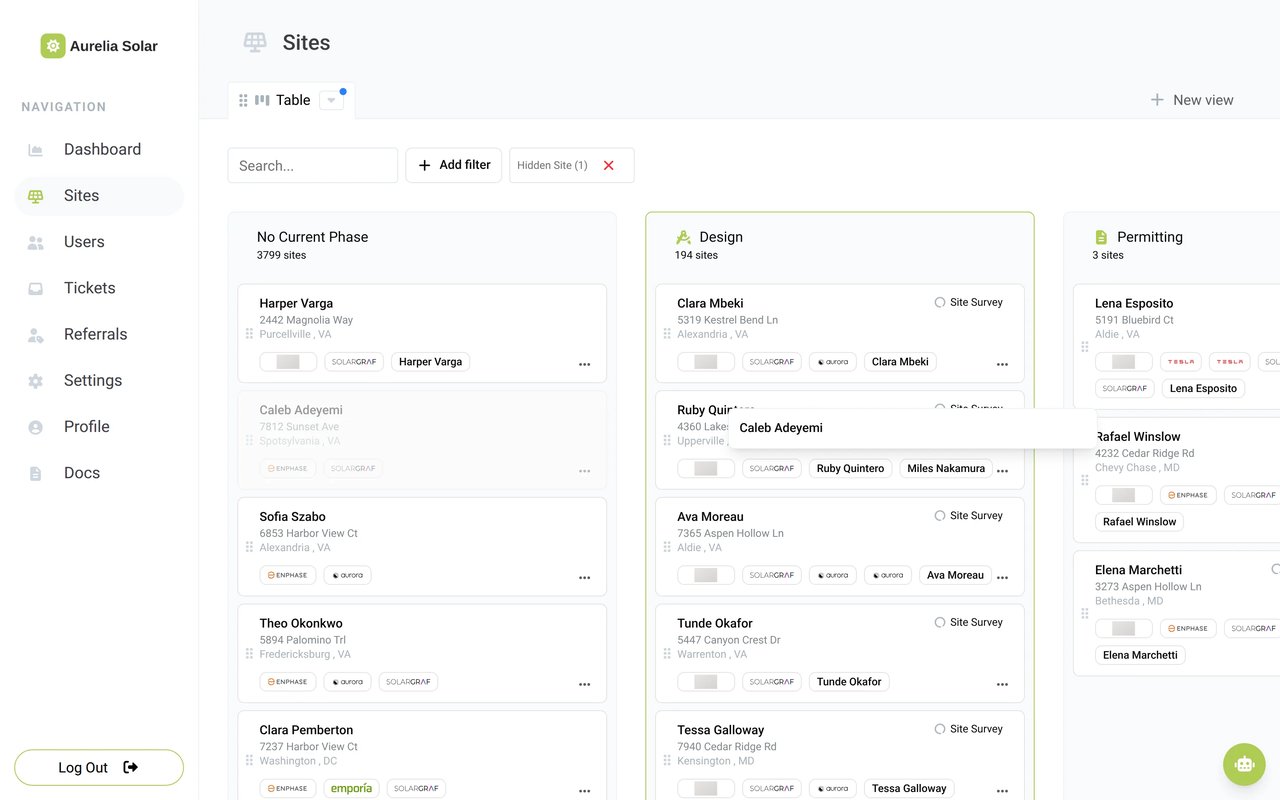
  • Move every install forward on a board that follows your project phases

Tony LostraccoJoe BennettConor DarbyJohn GaffiganLloyd LeeMichael GibsonKeith GibsonMark DicksonFortunat Mueller

Sunvoy is rated 5/5 stars by hundreds of solar installers like you
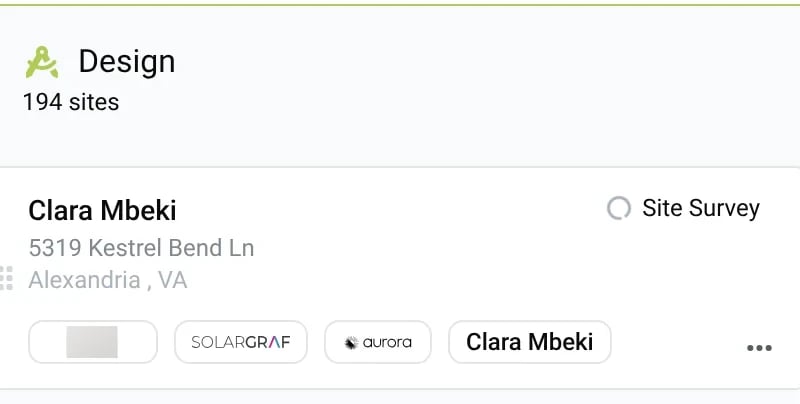
The Sites board in Sunvoy with a project card being dragged into the Design phase
See it in action

Sunvoy CRM in 60 seconds

From the first project to the customer who recommends you to their neighbour: see how one record carries the whole job.

One record

Customer, project and system in one place

Spreadsheets and project boards scatter the customer, the project and the system. Sunvoy CRM keeps them together, so nobody copies details by hand or digs through an inbox to answer "Is everything okay?"

Today
Projects 2026 (final v3)
CustomerPanelsStage
M. Gonzalez28Permitting?
J. Lee24#REF!
P. Shah—Install

Who updated row 48?

Install board

Permit pending

Gonzalez
Lee

Copied from the CRM by hand

Inbox

Maria Gonzalez

Is everything okay?

Third email this week

With Sunvoy CRM
Customer
Maria Gonzalez
[email protected]
ProjectGonzalez Residence
Applying for permits
System8.4 kW · 28 panelsOperational
Two ways in

Keep your CRM, or run projects in Sunvoy

No CRM migration needed. Fix your data on top of the CRM you already have, or run projects and customers in Sunvoy, with or without a CRM behind them.

With your existing CRM

Keep the connection. Fine-tune your data.

Correct project details in Sunvoy while your CRM stays in place.

See the CRMs Sunvoy connects to
With Sunvoy CRM

Create the records. Keep work in one place.

Create projects and customers right in Sunvoy. Editing comes with it.

What your team can doSite EditingSite Editing + Sunvoy CRM
Edit supported project and customer detailsIncludedIncluded
Review and revert overridesIncludedIncluded
Link or unlink customers and projectsIncludedIncluded
Drag projects between phases on the boardIncludedIncluded
Create new projectsNot includedIncluded
Create new customersNot includedIncluded
Define custom project fieldsNot includedIncluded
Changing a CRM is a real project that a person in your company should own.
Hervé BillietHervé BillietBoard member of Sunvoy, former co-founder and CEO of a residential solar installer
Site EditingBeta

Fix the detail. Keep the context.

A missing EV charger or a wrong panel count should take seconds to fix. Correct project, customer and system details right in Sunvoy, even when they come from your CRM. See who changed what, and put the CRM value back with one click.

app.example.com/site/edit
The Edit tab of a site with the Projects, Customers, Systems and Designs rail and the Project, Address, System and Financial field groups
System1 override
Project size24.8 kW
# Panels62
# Batteries0
# EV Chargers20 · Alex Rivera, 09/12/2026 10:42 am
Revert to the CRM value
Before0 EV chargersAfter editing2 EV chargers
Sunvoy CRMBeta

Start a project. Connect the customer.

Add a new project, link the customer and send the welcome email right away. No CRM needed behind it.

app.example.com/sites/new

New project

Address1420 Sunset Ave
CityPhoenix
StateAZ
ZIP code85004
Project nameGonzalez Residence
Current stepPermitting · Applying for permits
CustomersAdd existingAdd new
Maria Gonzalez[email protected]New
DiscardCreate project
Kanban boardBeta

See the whole pipeline. Move it forward.

Every project phase becomes a column. Drag a project to its next phase and your customer gets the same automatic updates as after a change in your CRM.

Design

12 sites

Jordan Lee

2210 Mesa Dr

Tempe, AZ

EnphaseAurora

Wei Chen

88 Arroyo Pl

Chandler, AZ

Aurora

Permitting

5 sites

Priya Shah

3401 Willow Creek Dr

Mesa, AZ

Enphase
Drop here to move the project

Jordan Lee

2210 Mesa Dr

Tempe, AZ

EnphaseAurora
Beyond the deal

Keep the customer after the panels go live

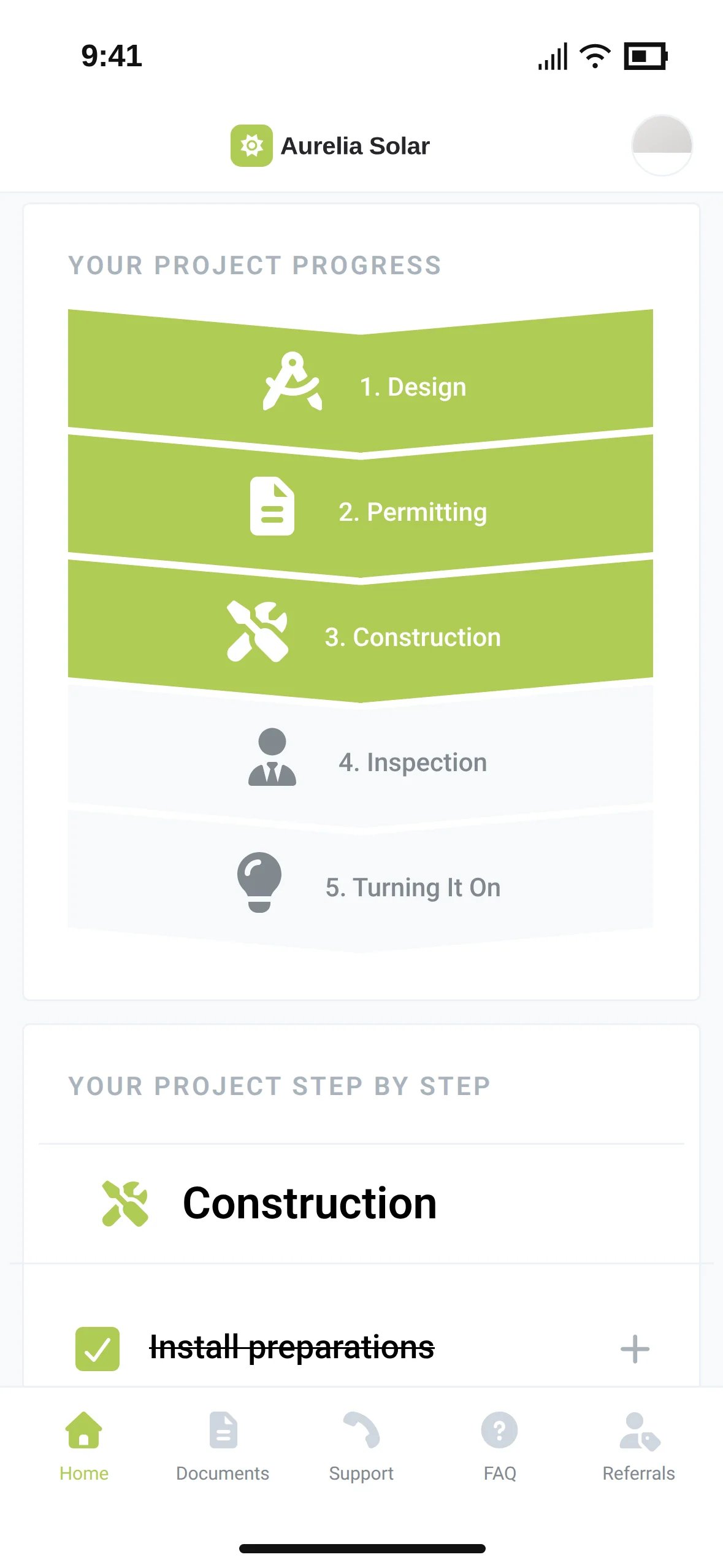
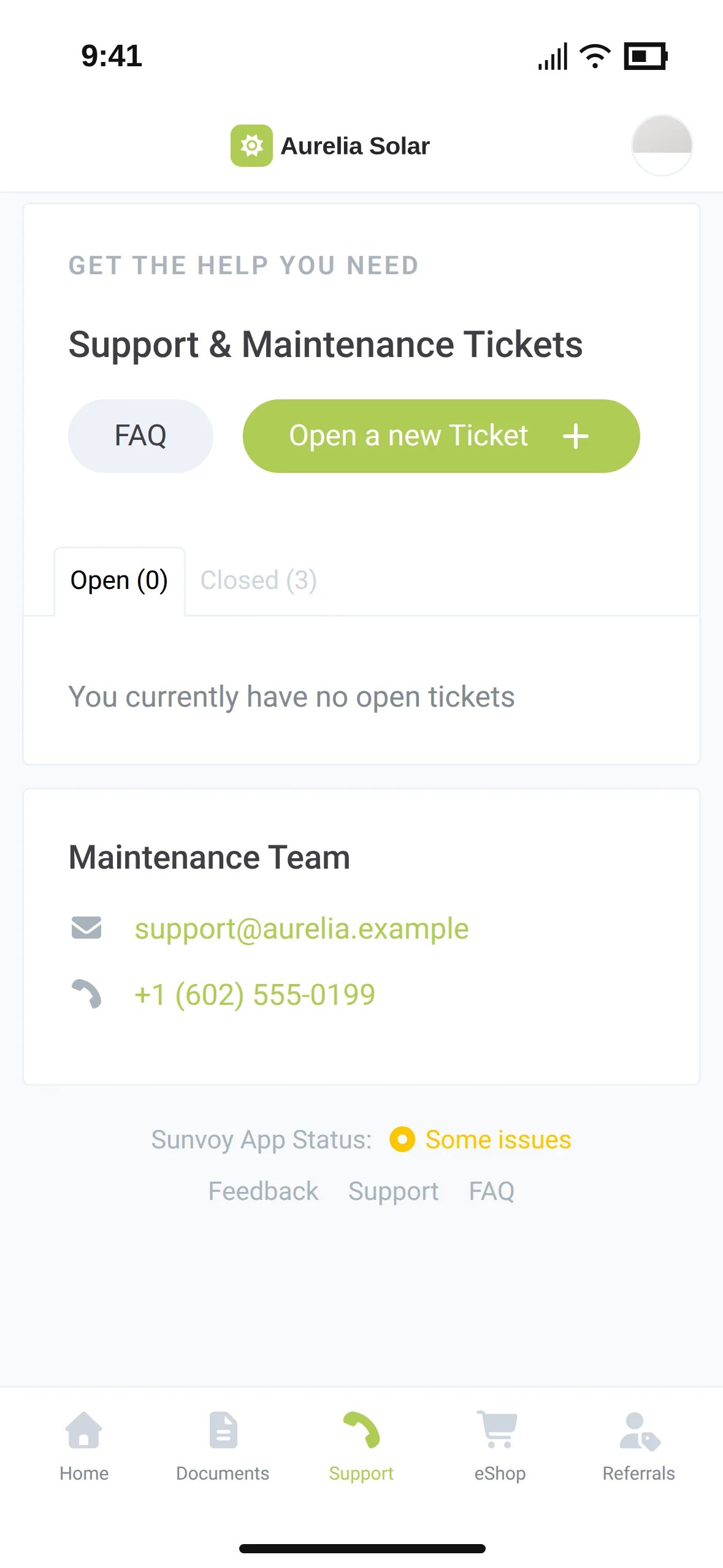
The job does not end when the panels go live. The same record feeds your customer app, so homeowners see their system, their documents and their support team, always under your own brand.

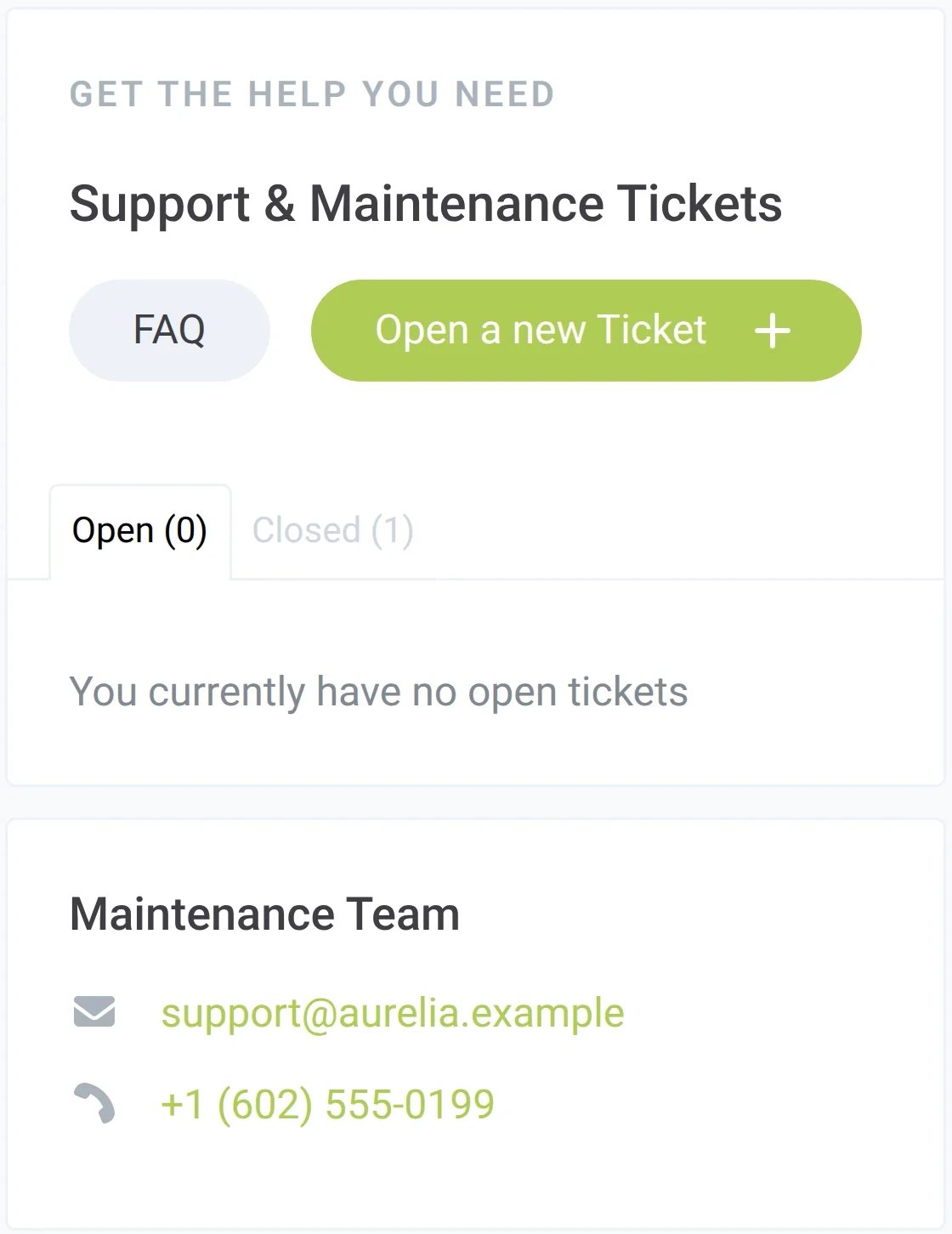
The homeowner app support page with the maintenance team's contact details

Stay informed

Project updates and documents stay available to the homeowner in the app.

See the system

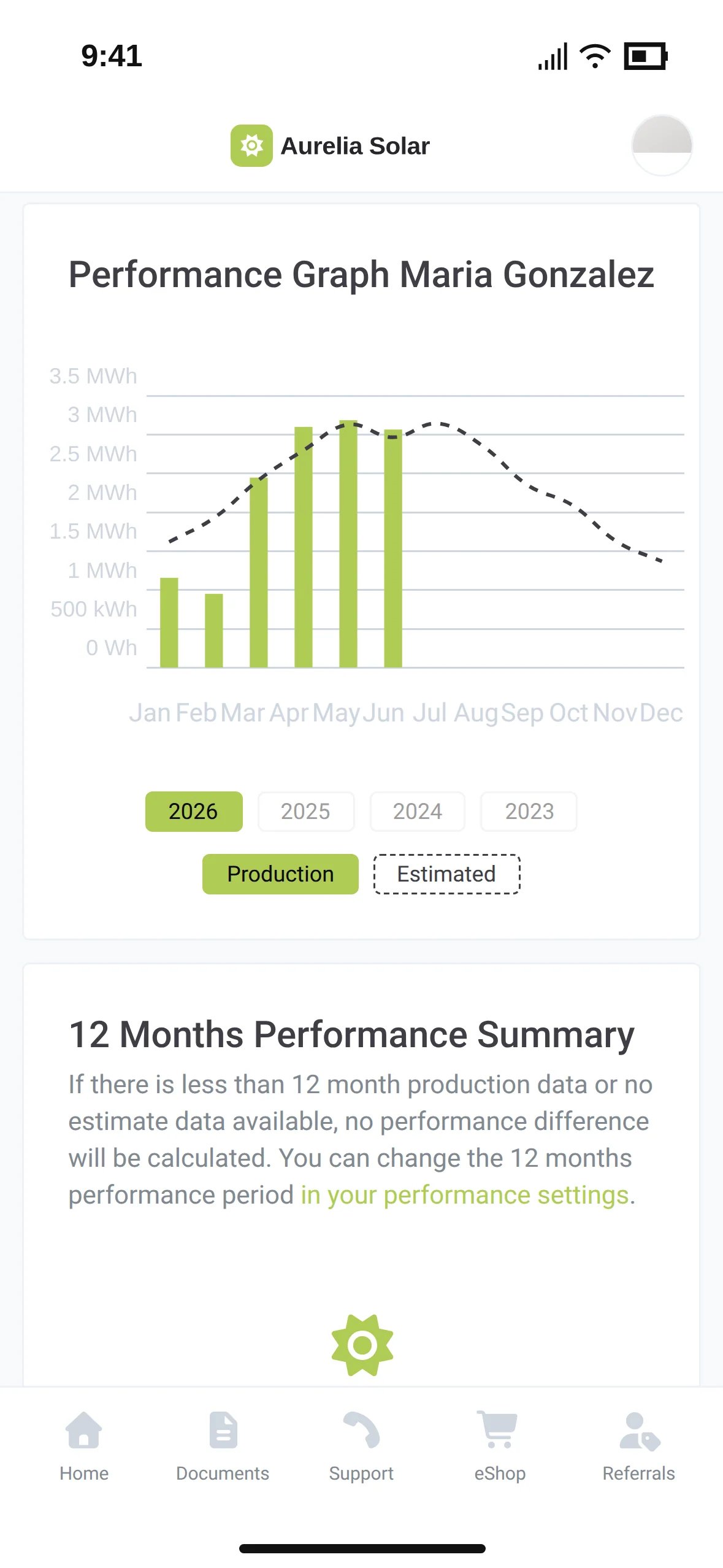
Energy monitoring shows how the system performs, so problems are easy to spot.

Keep the relationship

Service, reviews and referrals stay connected to the customer you built.

Where Sunvoy CRM is going

One record today. Your whole operation next.

Sunvoy CRM grows from the record your team already uses. Here is where it goes next.

One record, every source

Waitlist

Values from your CRM, your design tool and Sunvoy sit side by side on one record. Pick the source that wins for each field, and lock the fields your CRM owns.

FieldSource
Deal stagePermittingLockedHubSpot
# Panels28Aurora
Utility application IDINT-08351Sunvoy
Phone(602) 555-01412 sourcesChoose

Roles and permissions

Waitlist

Give each person the roles they need, more than one if they wear several hats, and decide who can edit, move, create and delete.

AdminEdit projectsMove dealsCreate customersDelete projects
Project managerEdit projectsMove dealsCreate customers
Sales managerMove dealsCreate customers
SubcontractorEdit projects
  • Waitlist

    Edits that reach your CRM

    Save a correction once and send it on to the connected CRM.

  • Waitlist

    Merge on connect

    Connect a CRM later and Sunvoy links the matching projects and customers. Unclear matches wait for your review.

  • Waitlist

    A pipeline per project type

    Separate phases and steps for residential and commercial projects.

  • Waitlist

    Company records

    Group commercial sites and their contacts under one company.

  • Waitlist

    Forms and checklists per step

    Collect the answers and files a step needs, from your team or from the homeowner.

  • Missing something?

    Tell us what your team needs next. We plan Sunvoy CRM with the installers who use it.

    See if you qualify

Frequently Asked Questions

Get answers to the most common questions and objections about Sunvoy's platform and capabilities.

No. Keep your CRM and use Site Editing for corrections inside Sunvoy. Switch on Sunvoy CRM when you want to create projects and customers natively.

Explore more

Where Sunvoy CRM fits in

Run every install from one record

See Sunvoy CRM in a demo and find out how it fits the way your team works.