Market to every homeowner you ever installed
Choose customers by their system, their production or their app activity, write the message once, and send it by email, text or push notification under your own brand.
Proven templates to invite legacy customers, ask for reviews or referrals
Advanced segmentation on inverter brand, production and saving data, customer satisfaction or battery upsells
Detailed statistics for each recipient with follow up drafts ready to go









Sunvoy is rated 5/5 stars by hundreds of solar installers like you
Your most valuable asset is your customer list
A solar company with 12,000 customers, after months of putting off the send
Not one customer called to say "stop spamming me."
Hervé BillietBoard member of Sunvoy, on LinkedInOnboarding your legacy customers does not blow up support. 7-13% is the median lift installers see after inviting hundreds to thousands of past customers into their branded app.
In one high-engagement rollout to a few hundred legacy customers even years after the original installation.
450 of the invited customers signed up, and support only registered 20 additional tickets the next month.
Source: the Sunvoy Legacy Customer Case Study.
Start from proven broadcast templates installers already earn money with
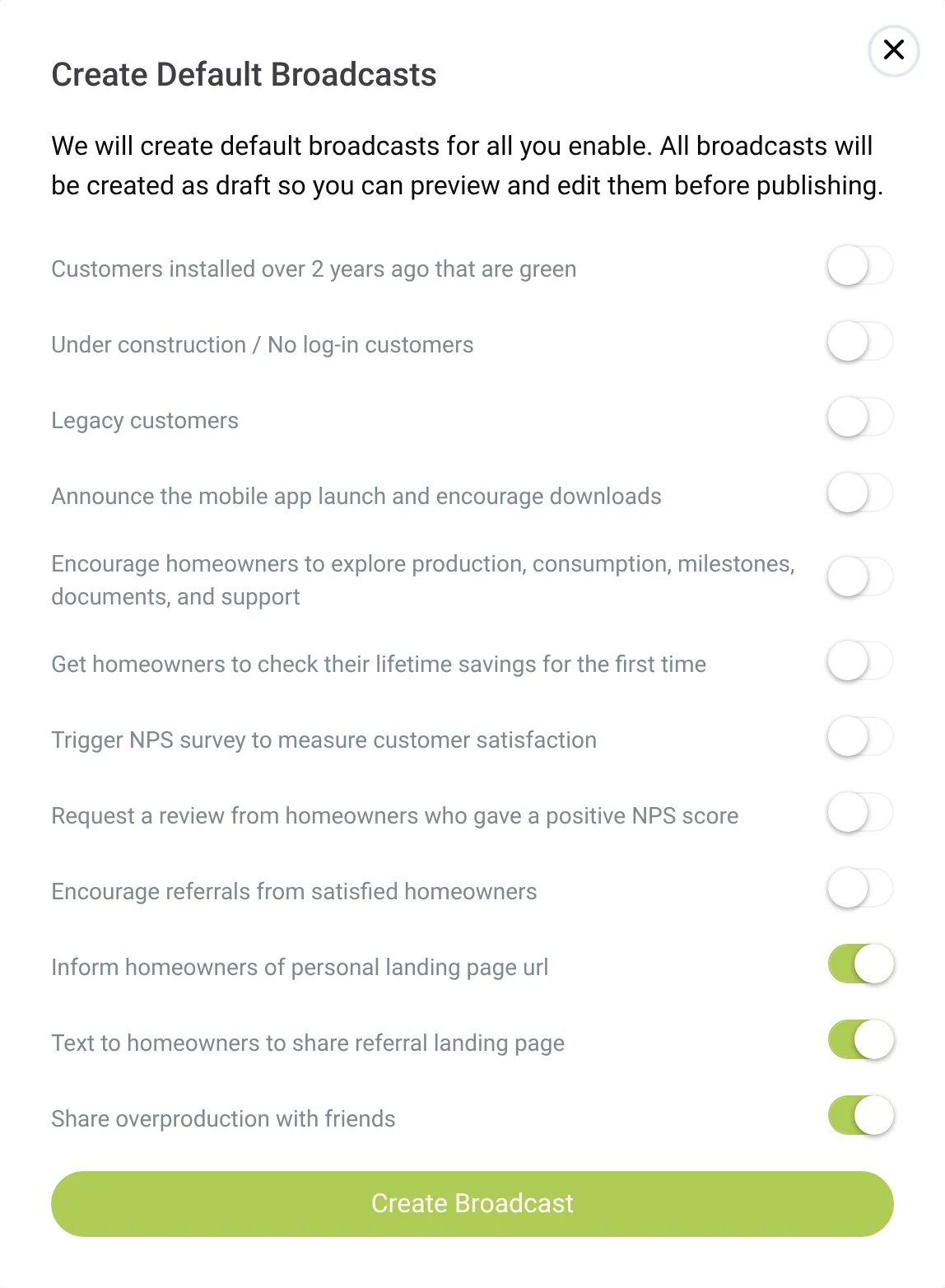
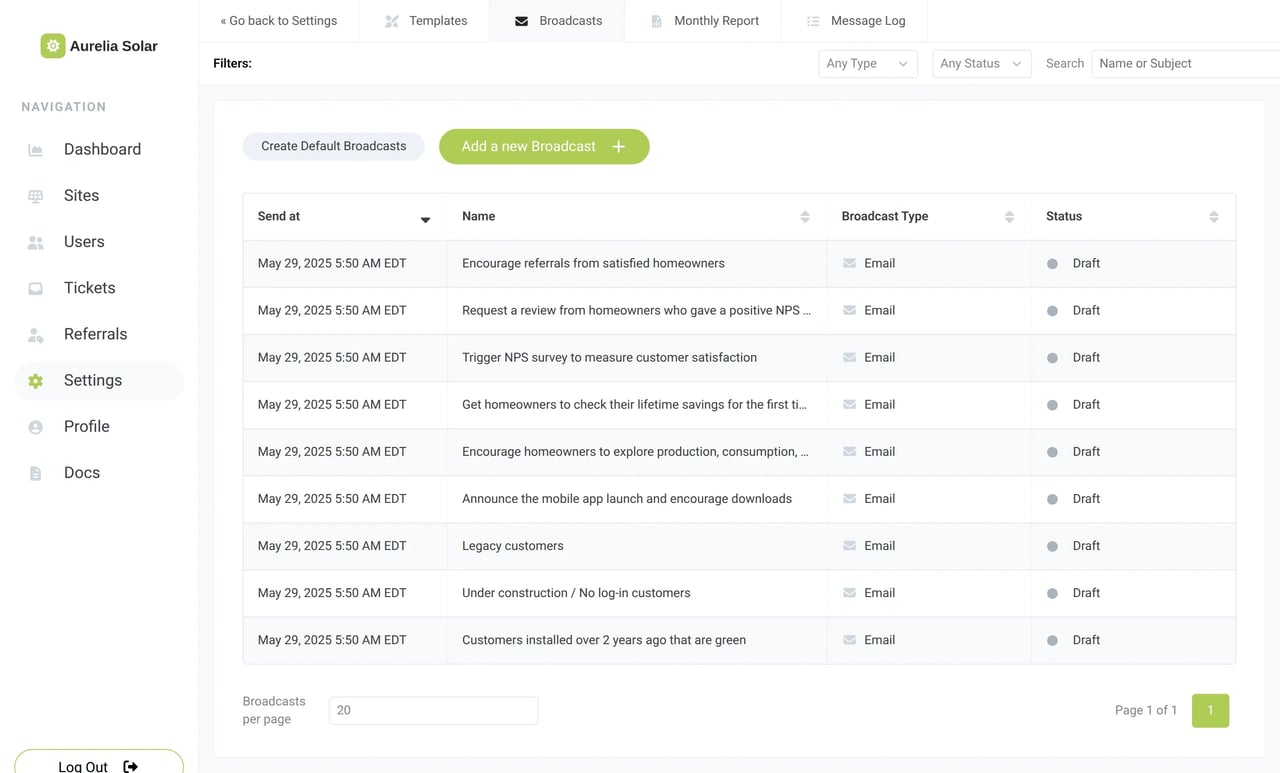
Create proven broadcasts as drafts for the most important messages that matter after install: invite legacy customers, announce your brand new mobile app, ask for a customer satisfaction rating, a review or a referral. Each one stays a draft until you approve it.

Send it to the right homeowners
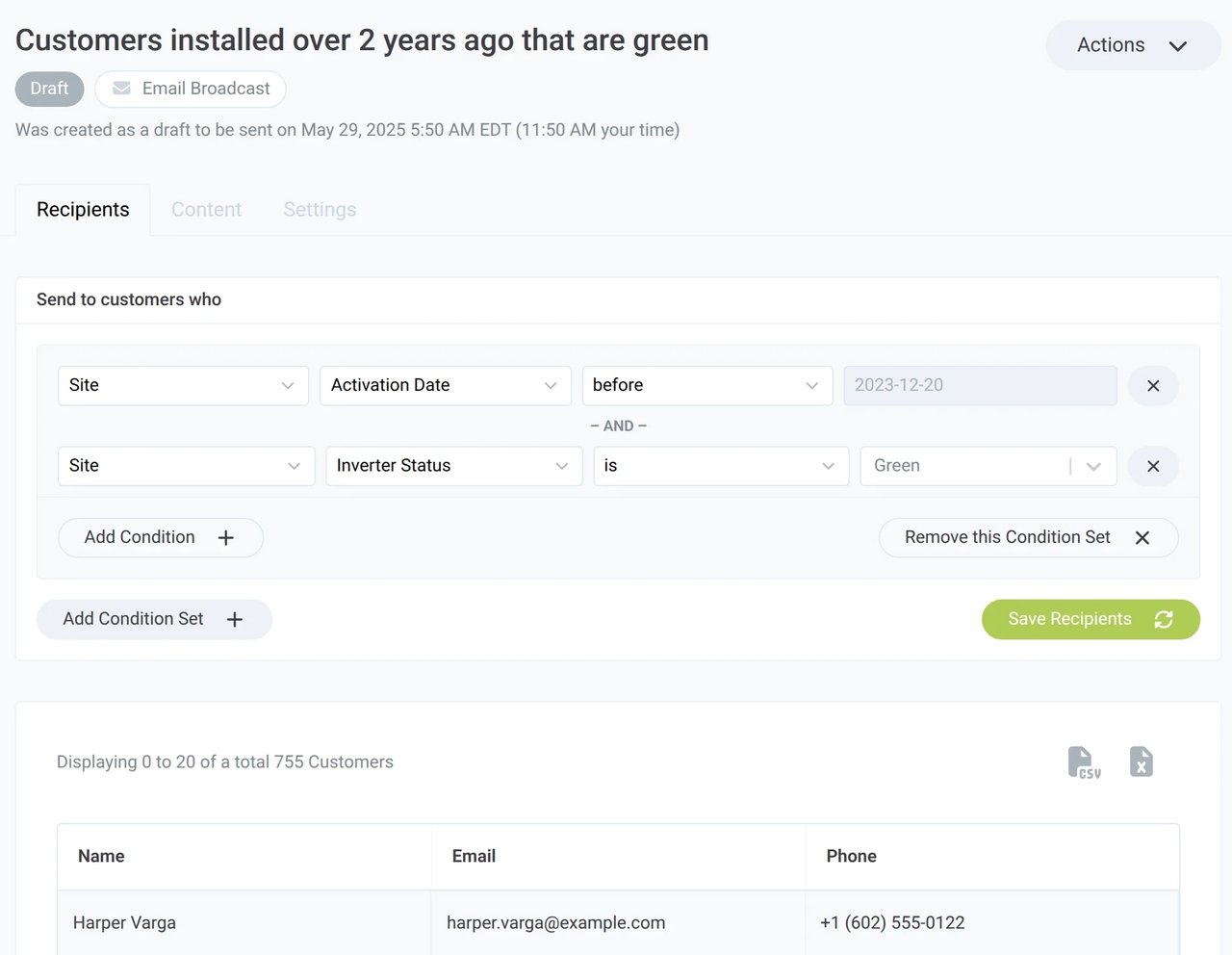
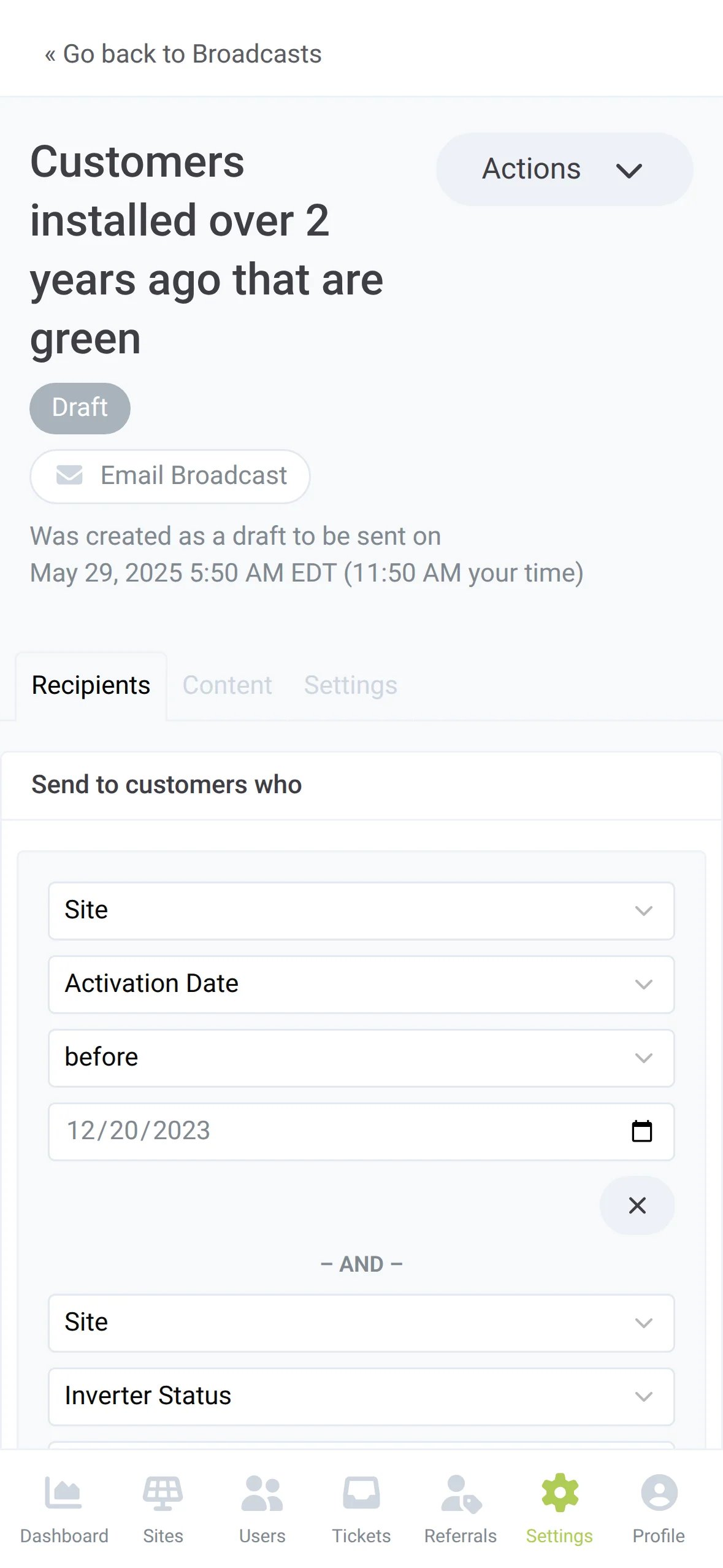
Segment the right audience based on what you know about each home and installation. Target by town, kW size, permission to operate date, battery upgrades, EV chargers and more.

Inverter Brand, Inverter Status, Milestone Stage, Activation Date, City, State and fields synced from your CRM.
Lifetime production, last production data, monthly performance from Critical Low to Hyper Production, and the number of batteries.
Last Login, whether a password was set, and whether push notifications are on.
Last NPS Score, and who received, opened, clicked or bounced an earlier broadcast or template.
Communicate with your customers the way they prefer
Choose between Email, Text or Push Notification for each of your broadcast messages. Everything is white label, with each message carrying your company name, from your logo at the top of the email to the app icon on the lock screen.
Your logo on top, your company name and address with an Unsubscribe link at the bottom. Paste a complete HTML email when you want your own design.
Hi Maria, Thank you for going solar with Aurelia Solar. Share your personal referral page URL and tell your neighbors about going solar with us. Your personal page: aurelia.example/r/maria Why not try it today? Warmly, Aurelia Solar
Up to 320 characters from your company's number, sent to every matching customer with a valid phone number.
A title, up to 320 characters and a deep link, sent through your branded iOS or Android app, or the web app, to every device where the customer turned notifications on.
Write personalized messages for every home
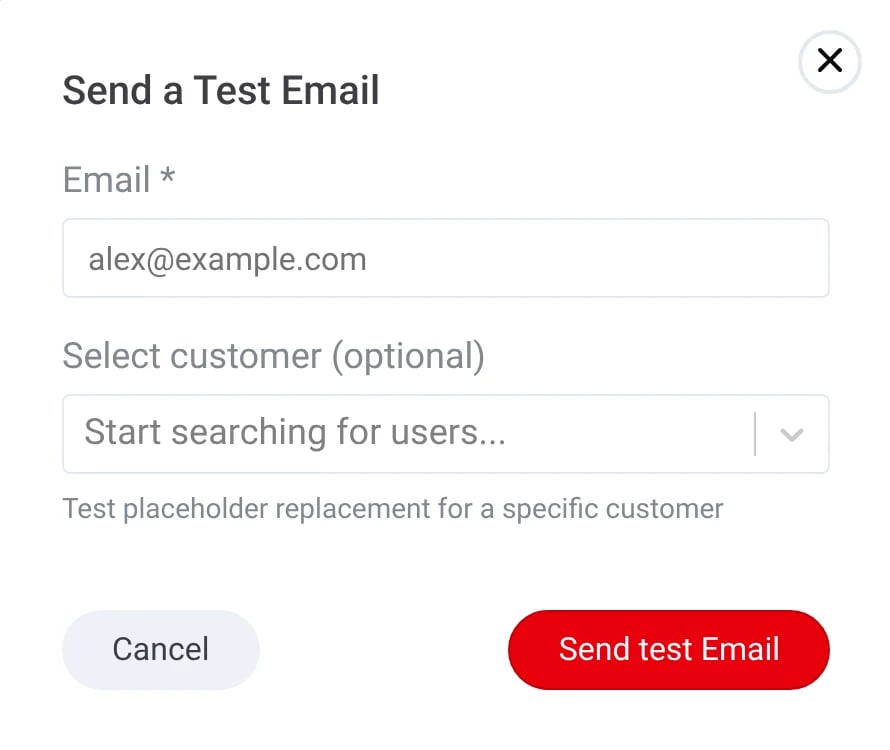
Hundreds of available placeholders can fill in each customer's first name, total savings or set-password link when the broadcast goes out. And you can send test emails to show the result before anyone else sees it.

{{ sunvoy.company_name }}The name of your company{{ sunvoy.review_link }}The link to the page where people can write reviews{{ user.first_name }}The first name of the customer if available{{ user.total_savings }}The total savings of the customer{{ user.set_password_link }}The link where the customer can setup his account passwordValues from your app and customer, with advanced functions like uppercase and date operators or text that shows only when a value is set.
Paste a complete HTML document for advanced design needs and it goes out as it is. Placeholders still resolve.
Send it to your own inbox or phone, and pick a customer to check every placeholder with real values.
Add the NPS survey widget, and each answer becomes the customer's Last NPS Score for your next broadcast.
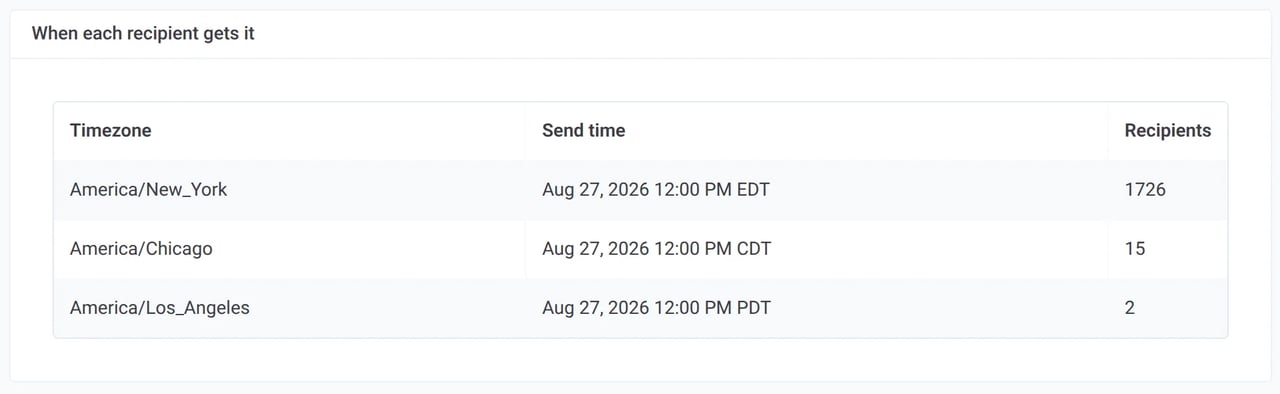
Noon in New York, noon in Los Angeles
Pick a send time and choose your company time zone, any other time zone, or Recipient's local time. Before anything goes out, the broadcast shows when each group gets it.
Recipient's local time
Every customer gets the broadcast at the same hour on their own clock.
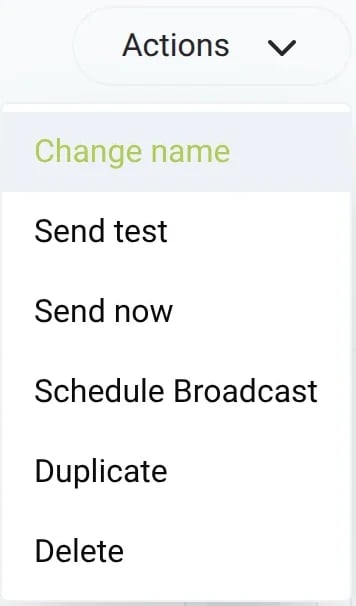
A scheduled broadcast is at least 24 hours away, so there is time to check it. Send now skips the wait.
Scheduling freezes the recipient list. Unschedule it to go back to a draft and change it.
Copy a broadcast that worked and send it again to a new group.
See who opened and who clicked
Every email broadcast shows its open rate and click rate, then the status of each recipient: delivered, opened, clicked, bounced or unsubscribed. One click turns everyone who did not open into the audience of a follow-up.
| Name | Status | Opens | Clicks |
|---|---|---|---|
| Maria Gonzalez | Clicked | 3 | 1 |
| Elijah Holloway | Opened | 2 | 0 |
| Harper Varga | Delivered | 0 | 0 |
| Rosa Delgado | OpenedUnsubscribed | 1 | 0 |
| Mateo Oyelaran | BouncedHard bounce | 0 | 0 |
Sent to, successful deliveries, and total and unique opens and clicks for each email broadcast.
Status, opens, first opened, clicks and first clicked for each customer. Search the list and export it.
Which link got the clicks, and how many people clicked it.
A new draft for everyone who got the email but did not open or click it.
Next: every homeowner, in their own language
Broadcasts already reach every customer you choose. These are the next steps on the roadmap.
Write the broadcast once in your default language, check an editable preview for each language your customers use, and every recipient gets the version in their language.
When a homeowner answers a text broadcast, the reply reaches your team instead of going nowhere.
Send your customer handbook or a how-to guide with the email.
Customers get your texts from the number of the office that serves them.
Remove or unsubscribe a customer from a broadcast or an automation in the app.
See the spam complaint or delivery error on the customer's profile.
Tell us what you want to send your customers next.
Talk to usGet answers to the most common questions and objections about Sunvoy's platform and capabilities.
No. A broadcast is a one-off message to the customers who match its conditions when it goes out. An automation sends a message every time a customer meets its trigger, for example when a project reaches a milestone.
Related
Your installed base is waiting to hear from you
See how Broadcasts would look with your brand, your customers and your first send.