+1 (571) 354 8500Free Audit

Get out of service ticket hell

Homeowners open tickets in your own branded app. Your team fixes them faster, with the system data right next to the conversation.

  • One way in: every request lands in one place, not in five inboxes

  • The full picture on every ticket: inverter status, production and equipment next to the conversation

  • Work orders in your CRM with one click or on autopilot

Tony LostraccoJoe BennettConor DarbyJohn GaffiganLloyd LeeMichael GibsonKeith GibsonMark DicksonFortunat Mueller

Sunvoy is rated 5/5 stars by hundreds of solar installers like you

The Tickets list in Sunvoy with open tickets, their stage, priority and customer
A homeowner opens a new support ticket in their installer's app
One way in

Five inboxes become one ticket list

Service requests reach your company through every channel and every person. Sunvoy gives homeowners one way to ask for help, and your team one list to work from, with the customer and the system already attached.

Today
  • EmailOutside salesperson
  • Text messageInside salesperson
  • Phone callProject manager
  • VoicemailCEO
  • FaxService manager
Your app

Get the help you need

Support & Maintenance Tickets

FAQOpen a new Ticket
Your ticket list
New ticket
No production since our new routerMaria Gonzalez
Stage
Open
Priority
High
Assigned to
Sam Patel
Tags
Monitoring
System
No data since Monday
Work Order
Created in your CRM
“Service tickets often arrive through multiple channels and to a variety of people—an email to the outside salesperson, a text message to the inside salesperson, a phone call to the project manager, a voicemail to the CEO, or even a fax to the service manager.”
Joe MarhamatiPresident, Sunvoy
Homeowner app

Homeowners open tickets in your app

Your customers already open your app to follow their project and their production. Support sits right there, under your own brand: answers to common questions first, then a ticket they can follow until it is solved.

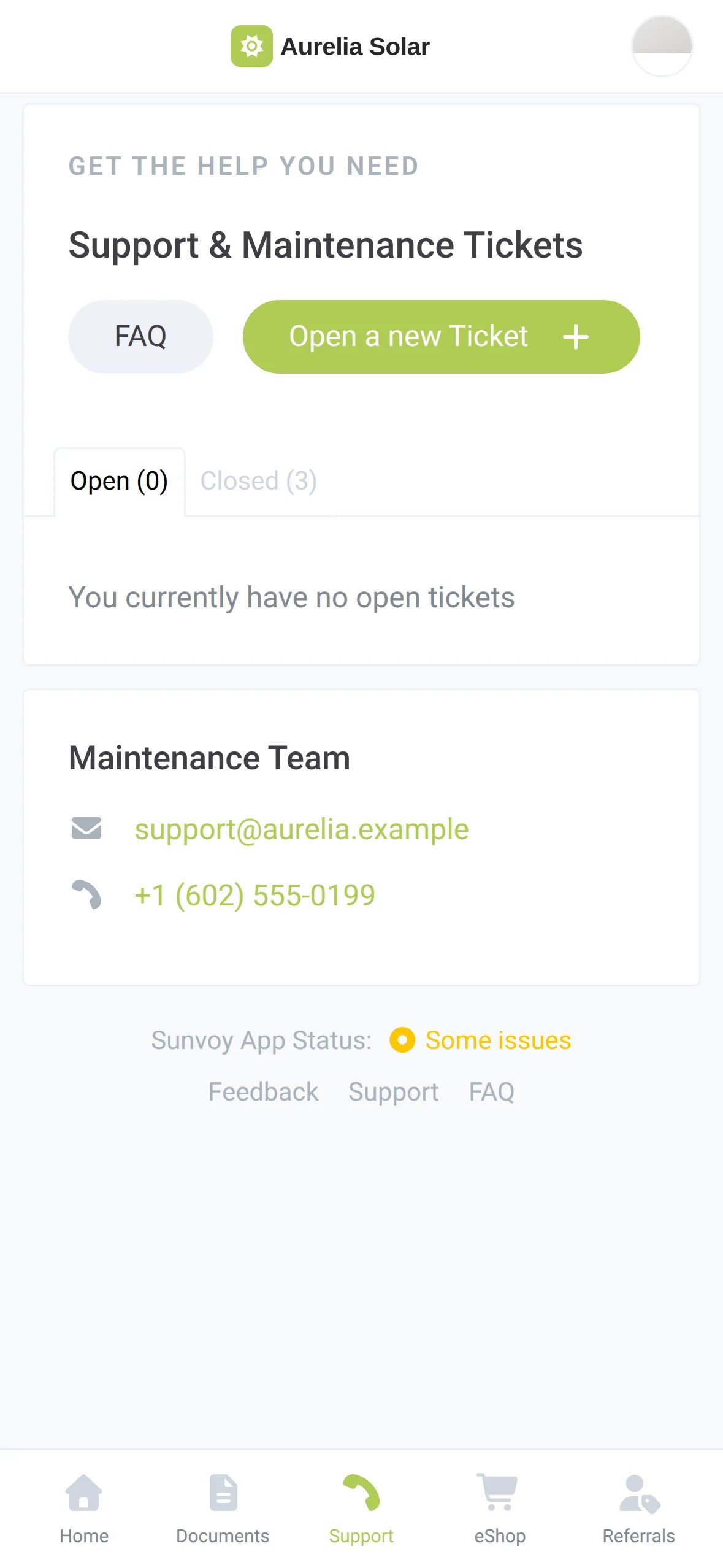
The Support screen of the homeowner app with the FAQ, the Open a new Ticket button, open and closed tickets and the maintenance team's contact details
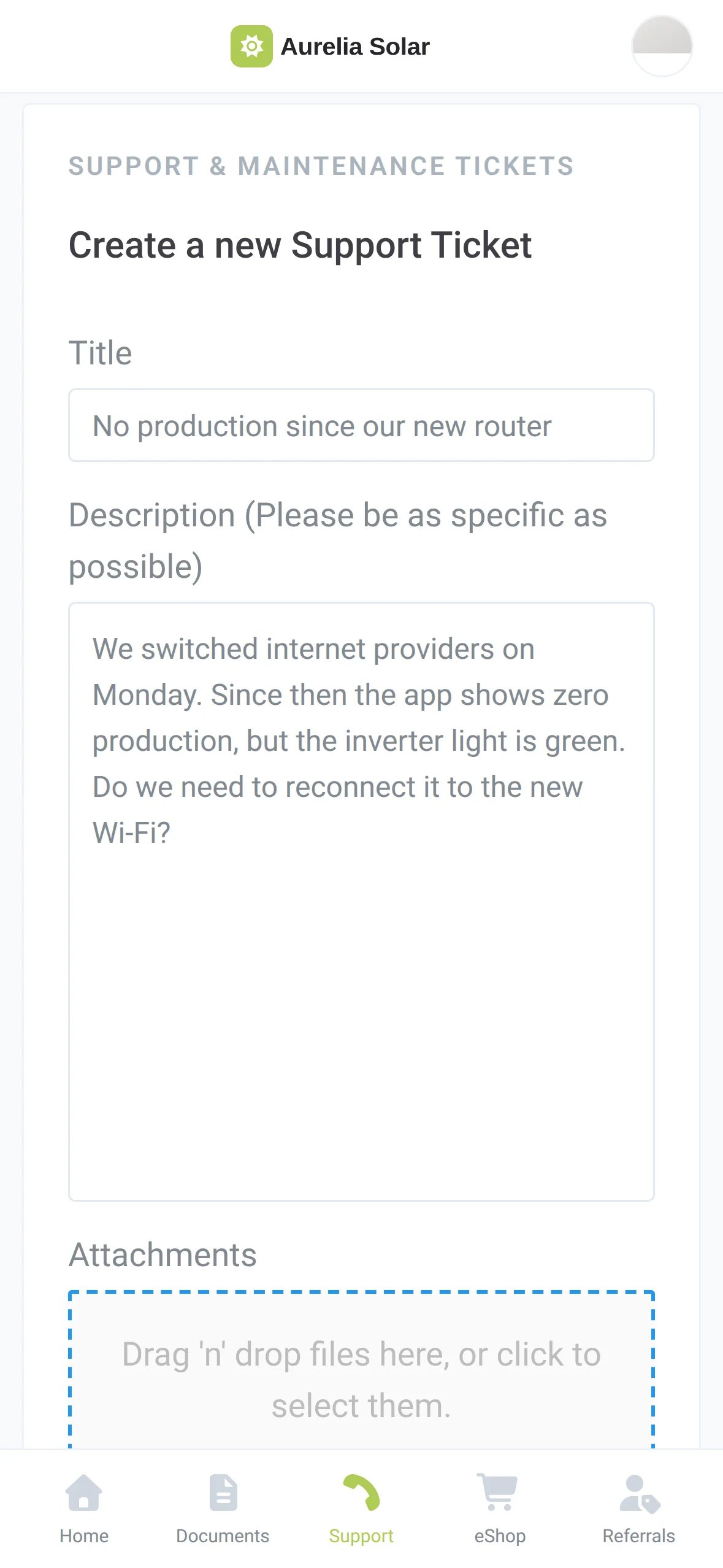
The new ticket form in the homeowner app with a title and a description
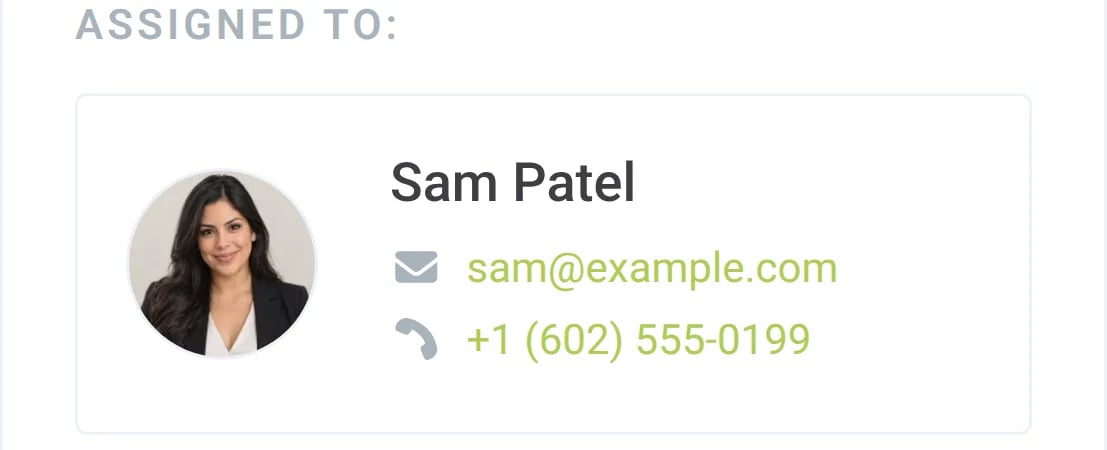
The homeowner sees who handles the ticket
The homeowner sees who handles the ticket, with email and phone
Ticket view

The whole system next to the conversation

Open a ticket and the customer, the inverter status, recent production and the installed equipment are already there. Your team answers with the facts in front of them, without digging through three tools.

app.example.com/ticket
A ticket in Sunvoy with stage, priority and assignee at the top, the chat in the middle and the customer's system data in the sidebar
Chat
Jordan Lee
Hi, our insurance needs the final inspection report. Where can I find it?
Alex Rivera
Hi Jordan, I just uploaded it to the Documents tab in your app.
Alex Rivera
Internal NoteReport was in the permit folder. Closing the ticket.
Work orders

Work orders in your CRM, without retyping

When a ticket needs a site visit, the work order lands in your CRM with the customer, the issue and the system details. Your field team keeps working where it always works.

WorkflowPush all Tickets to CRM
When
Ticketis created
Then
Createa new work order
Work order in your CRMCustomer, subject, description and system
Work orders go to
  • HubSpot
  • Salesforce
  • Zoho
  • NetSuite
  • Microsoft Dynamics
  • Quickbase
  • JobNimbus
  • Monday
  • Pipedrive
  • ServiceFusion
  • and more
Now it's I'm in the Solar States app. There's a problem. We get this support ticket. Boom. Boom. Boom. You know? And O and M is becoming a real profit center for us.
Micah Gold-MarkelCEO & Founder, Solar States

From an installer

“We have a branded portal that our customers download, submit trouble tickets through, allows us to really have dynamic interactions with the client.”

Podcast: What Solar Installers Need to Know

Where tickets are going

From the first call to the fix

Today the homeowner opens the ticket. Next, your fleet data opens it for them and your dashboard shows how fast your team closes tickets.

Ask about the roadmap

Tickets from inverter errors

Waitlist

A workflow opens the ticket when a system reports an error or falls below its estimate, sets the priority and assigns your O&M team.

Workflow
WhenInverter error
IfCategory is Production Issue
ThenCreate a ticketPriority: HighAssigned to: O&M team
Lindqvist Residence - Inverter errorOpen

Ticket reporting

Waitlist

Open tickets per person, the average time to close and tickets over time, on your dashboard.

Open tickets by employee
  • Sam Patel9
  • Alex Rivera6
  • Dana Ortiz4
  • Priya Shah2
Average time to close2.4 days
Closed in the last 30 days86

Frequently Asked Questions

Get answers to the most common questions and objections about Sunvoy's platform and capabilities.

Most questions behind a ticket are simple ones, such as a new router. Your FAQ and the Wi-Fi reconnection guide answer them before a ticket exists. The requests that remain arrive in one list with the system data attached, not spread across phones and inboxes.

Explore more

Where service tickets fit in

Leave service ticket hell for good

See how your homeowners would open tickets and how your team would close them.