+1 (571) 354 8500Free Audit

Run more installs without the status calls

Homeowners follow every step of their install in your own branded app, so your day goes to the projects that need you.

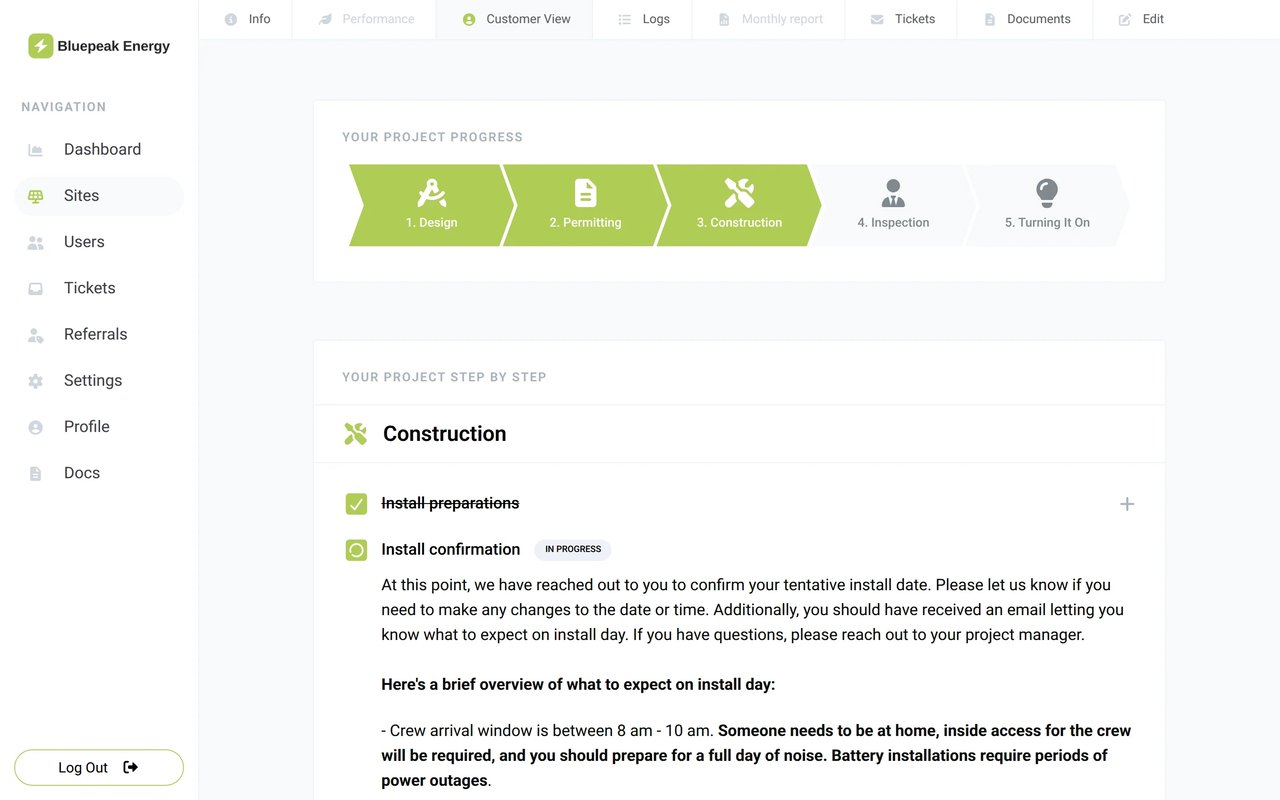
  • Homeowners see what you see: where their project stands and who their project manager is

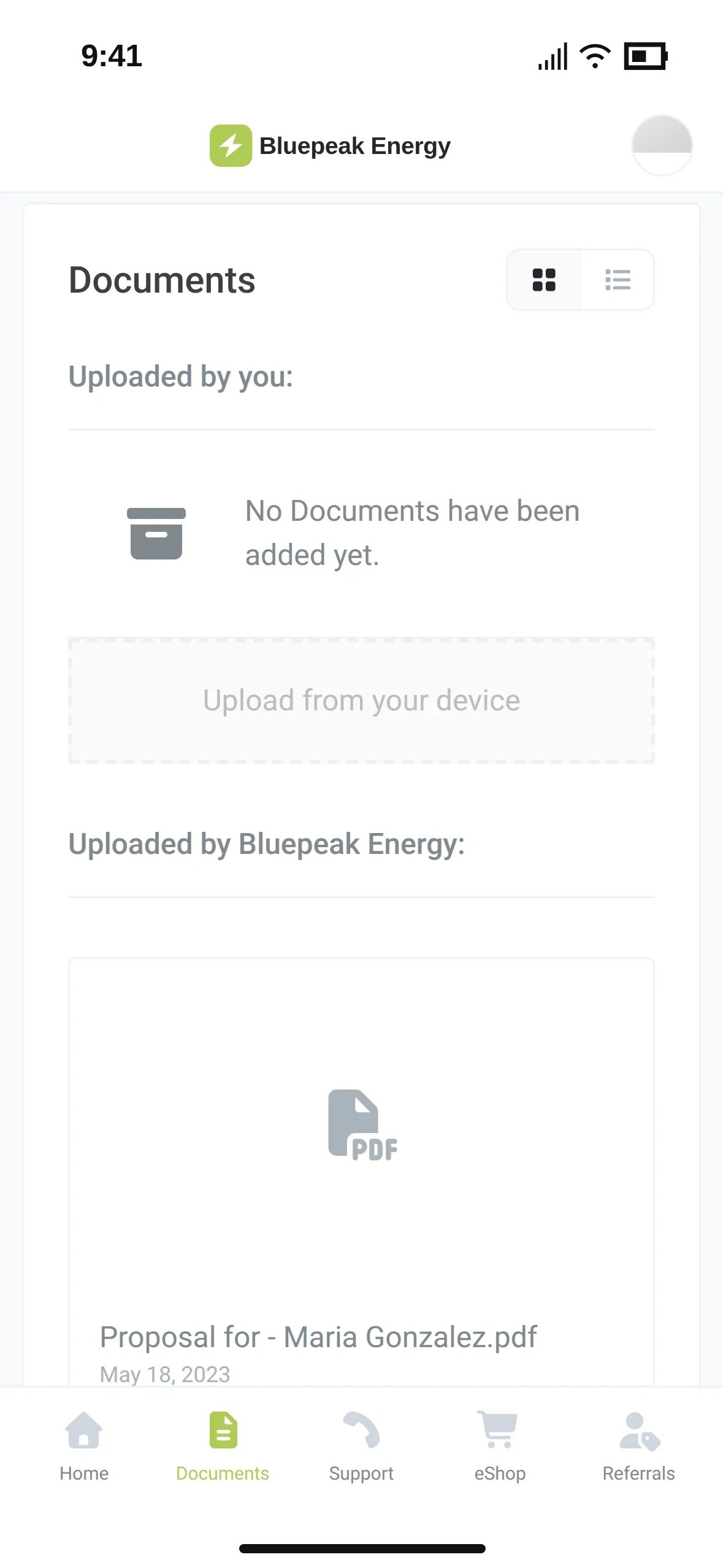
  • Every document in one place, for your team and for the homeowner

  • Find any project in seconds, whatever stage it is in

Tony LostraccoJoe BennettConor DarbyJohn GaffiganLloyd LeeMichael GibsonKeith GibsonMark DicksonFortunat Mueller

Sunvoy is rated 5/5 stars by hundreds of solar installers like you
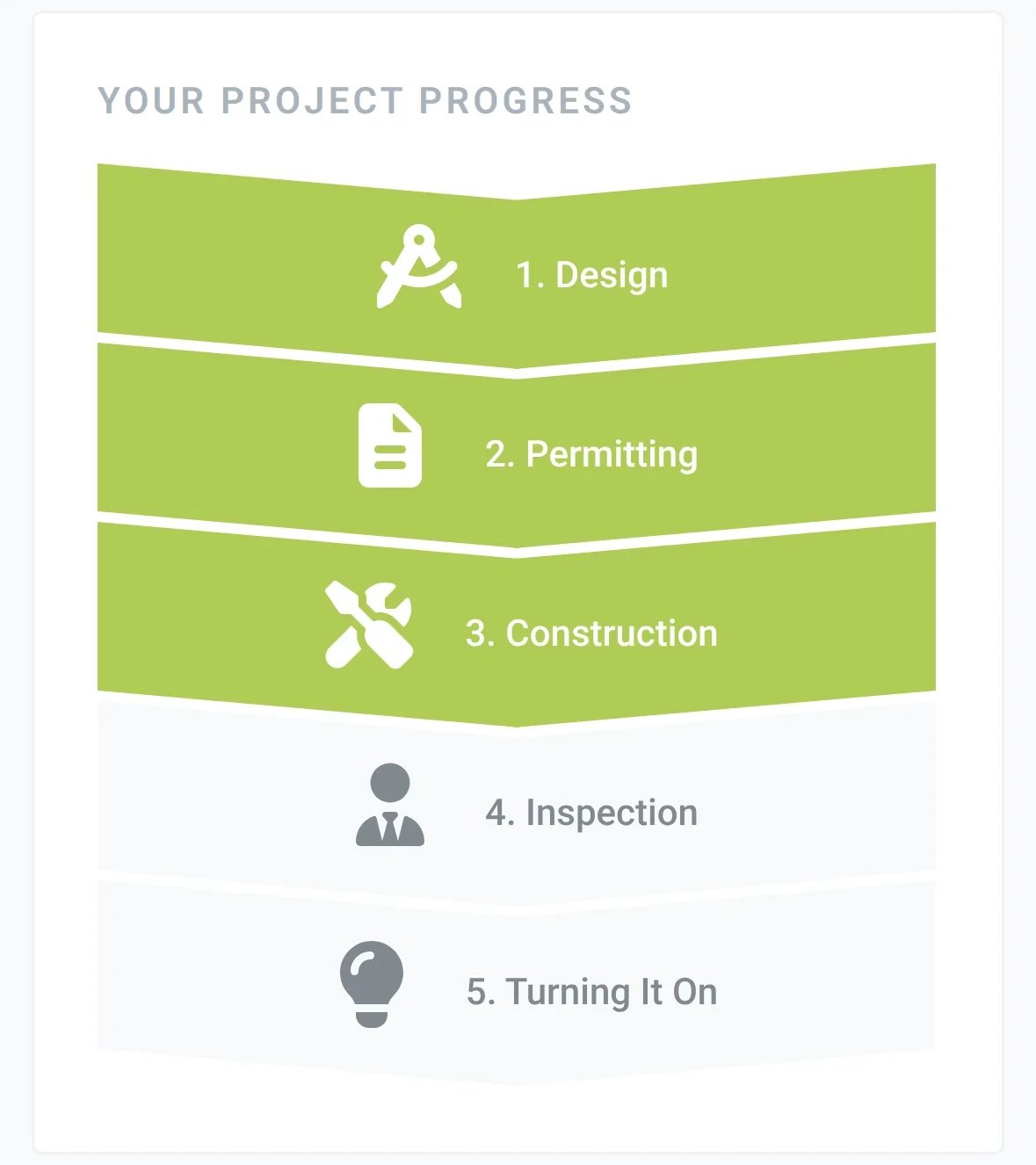
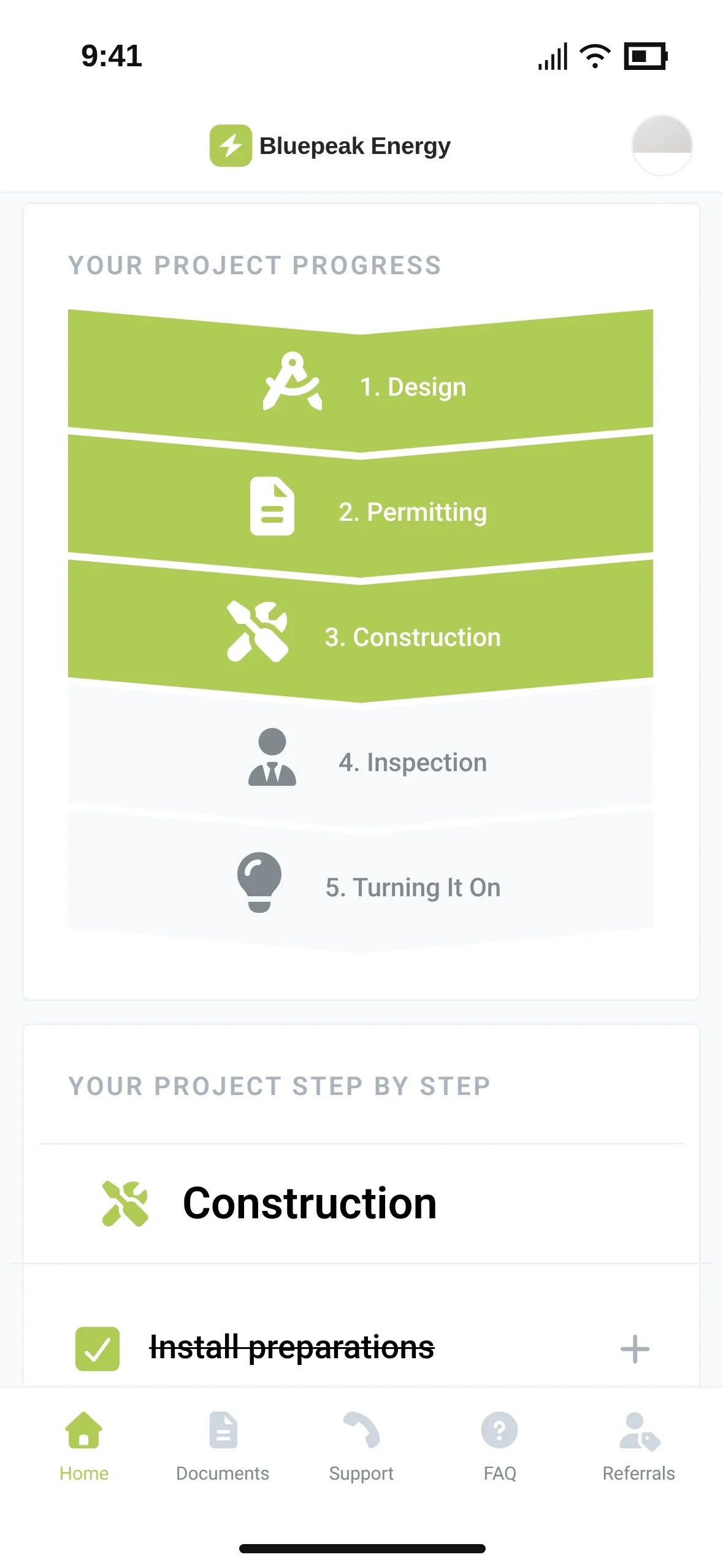
The homeowner app's project progress with Construction as the current step
A project manager's week

The calls that answer themselves

Most status calls ask for data your CRM already holds. Sunvoy puts the answer in the homeowner's app, under your own brand, before they pick up the phone.

  1. Monday, 8:40 am

    What stage is my project in?

    Home

    Your Project Progress shows the phase and the current step, synced from your CRM.

  2. Monday, 11:15 am

    How many panels am I getting?

    Home

    Your Energy Production lists the kW size, panels, batteries and EV chargers from the project.

  3. Tuesday, 9:05 am

    Can you send me my contract again?

    Documents

    Contracts, permits and signed PDFs wait in Documents, on the phone and on the web.

  4. Thursday, 4:10 pm

    Who do I talk to about my install?

    Home

    Their project manager's photo, short intro, email and phone sit on the home screen.

  5. Next April

    I need my paid-in-full invoice for my tax credit.

    Documents

    Upload it at PTO, and it is waiting in Documents when tax season comes.

Sites

Every install. One list.

Every install with its project, system and designs in one place. See right away which jobs are in construction and which ones need your attention.

app.bluepeak.example/sites
The Sites list filtered to the status Construction, with the status filter open: Orphaned, Healthy, Communication / Performance Issue, Construction and Critical, each with a count
Synced with your CRM

Phases that move when your CRM moves

Set up your project steps once, in plain words for homeowners. When a deal moves in your CRM, the homeowner's app moves with it and they get an update on autopilot.

Your CRM
DealPatel Residence
Pipeline
Residential installs
Deal stage
Permit approvedInstall scheduled
Panels
26
Sunvoy
app.bluepeak.example/site/info
Project: Patel ResidenceGo to HubSpot
Construction · Install confirmation
Last synced with Sunvoy: just now
Size
11.05 kW
Panels
26
Batteries
0
The homeowner
Bluepeak EnergyText message · now

Hi Maria, your project is now in Construction. What to expect on install day is in your app.

Alex RiveraYour Project ManagerYour contact from design to PTO[email protected]+1 (303) 555-0142
Results

What installers report

Published case studies

Read the case studies
Solar Holler
+25%
faster annual growth
Solar Holler
PosiGen
30 days
to launch a customer portal for 1000+ monthly installations
PosiGen
Public Service Solar
+716%
increase in 5-star reviews
Public Service Solar
Sunvoy transformed our marketing & operations, now we're scaling faster than ever before.
Dan Conant, CEO, Solar Holler
Documents

Every file where the homeowner can find it

Contracts, permits, designs, warranties and invoices are in one place for your team and in the homeowner's app. Nobody has to call you for a copy again.

app.bluepeak.example/site/documents
DocumentsRequest e-Signature
Uploaded by customer:No Documents have been added yet.Uploaded by Bluepeak Energy:
Proposal for - Maria Gonzalez.pdfMay 18, 2023
Signed contract.pdfMay 18, 2023
Building permit.pdfMay 18, 2023
Final design.pdfMay 18, 2023
PTO letter.pdfMay 18, 2023
Panel warranty.pdfMay 18, 2023
The Documents tab in the homeowner app with Upload from your device and a proposal PDF
I’ve seen project managers waste half their week chasing paperwork that should’ve been uploaded already.
Joe MarhamatiPresident, Sunvoy, former COO of a residential solar installer
Site EditingBeta

Fix a wrong detail once

The CRM says 24 panels and the roof has 26. Correct it once in Sunvoy instead of retyping it in three tools. Your team sees who changed it, and you can go back to the CRM value with one click.

app.bluepeak.example/site/edit
The Edit tab of a site in Sunvoy with the Project, Address, System and Financial field groups and the step at Construction · Install confirmation
System1 override
Project Size11.05 kW
# Panels2624 · Alex Rivera, 09/18/2026 10:42 am
Revert to the CRM value
# Batteries0
Where it is going

Next for your project toolkit

We build Sunvoy with the installers who use it. This is what comes next for project managers.

See if you qualify

A pipeline per project type

Waitlist

Separate phases and steps for residential, commercial, battery retrofit and service jobs, each mapped to its own CRM pipeline.

Project Milestones
ResidentialCommercialBattery retrofit
  1. 1Site visit
  2. 2Permit
  3. 3Install
  4. 4Turn on
Mapped to the Battery retrofit pipeline

Install dates homeowners confirm

Waitlist

Propose a survey or install date, and the homeowner confirms it in your app. A confirmation and a reminder go out on their own.

Your install dateTuesday, 8–10 am
Confirm dateAsk for another date
Confirmed by the homeowner
  • Waitlist

    Folders per audience

    Decide which files the homeowner, your team and subcontractors can see.

  • Waitlist

    Welcome package on autopilot

    Spec sheets, warranty files and Wi-Fi guides land in Documents based on the job.

  • Waitlist

    Checklists per step

    Tasks and checklists inside the project tracker, for your team or the homeowner.

  • Waitlist

    One inbox for every reply

    Texts, emails and chat from homeowners in one shared inbox.

  • Waitlist

    AI answers for homeowners

    An AI agent answers homeowner questions in your app and hands over to your team.

  • Missing something?

    Tell us what your project managers need next. Customer requests shape what we build.

    Book a call

Frequently Asked Questions

Get answers to the most common questions and objections about Sunvoy's platform and capabilities.

No. Sunvoy connects to the CRM you already use and reads projects, phases and fields from it. Your team keeps working in the CRM.

Go deeper

The tools behind the PM's day

Spend your day on the projects that need you

See how your own projects would look in your branded app.